Native JSON Support for Flash

Heck, things are moving so fast for Flash and AIR these days that it’s hard to keep up! Flash Player 10.3 is now live on desktop and Android, and a new Incubator build has just been released with a slew of great new features.

One of the features I’m particularly happy about is native JSON support; something which I’ve been wanting for quite some time. To be honest I can’t remember the last time I had to parse an XML file at WeeWorld, almost every project I’ve worked on recently has instead used JSON for any serious data interchange between client and server. And with its growing popularity it makes sense that it’s now part of the Flash Player rather than having to rely on a third-party library.

It’s only one of many great new features that are on their way. Here’s the list:

Media/Real Time Communications

  • G.711 audio compression for telephony
  • H.264/AVC SW Encode for camera encoding

Language/VM

  • JSON (JavaScript Object Notation)
  • GC Advice
  • Socket Progress Events
  • Pause/sleep/resume Events

Security

  • Secure random number generator
  • TLS (Transport Layer Security) sockets
  • TLS socket policy file

You can download the latest build and find out more info on Adobe Labs. And remember you’ll get the Molehill API too, so if you haven’t already done so, check-out some of the great Molehill demonstrations out there.

Top 10 Inspiring Uses of Flash

I was flicking through the latest issue of .net magazine when I came across a great article by Hoss Gifford talking about his ten favourite uses of Flash. Covering everything from Molehill to AIR for iOS, this four page article makes it very easy for even the biggest cynic to get excited about the Flash platform. We often forget that Flash’s usefulness extends far beyond the web and Hoss does a great job of reminding us of this by describing some fringe uses of the platform.

I had the pleasure of working with Hoss a few years back on some really revolutionary Flash mobile work, and it’s pleasing to read that he feels Flash definitely has a future when it comes to mobile. He certainly doesn’t suggest you completely ditch native development, but states that it has a use for those wanting to target multiple devices such as iOS, Android and Playbook with a minimum of customisation.

It’s a good article and the magazine’s definitely worth a few pounds of your hard earned cash.

Building iOS Apps with Flash’s Help

We recently released, Cweeture Jump, our first in-house iPhone game. Although we rely heavily on Flash at WeeWorld, Cweeture Jump was actually written natively using Objective C for a number of reasons. Interestingly though this didn’t mean that Flash was entirely removed from the equation as our art team opted to continue using it to create the artwork and animations for the project.

It got me wondering how many others out there are using the Flash authoring environment to create visuals for their iOS projects. Are there any development teams buying Flash Professional specifically for this purpose or is it likely that it’s being used only by those who come from a Flash background? Would be interesting to know.

As for the reasons for selecting Objective C over Flash for our project, there were quite a few. First up was performance really. It just seemed we were able to squeeze so much more out of the hardware using Objective C. At the time of development, AIR for iPhone was limited to AIR 2.0 and its GPU rendering model was extremely frustrating to work with – rasterization was taking place on the CPU rather than the GPU. But perhaps the biggest issues were the fact that we couldn’t take advantage of in-app purchasing or game center integration.

With AIR 2.6, Adobe seems to have addressed some of the performance issues. Also, the older generation devices that AIR-based apps struggled on are quickly becoming irrelevant, which must be a huge relief for Adobe. However before we can even begin to seriously consider using Flash for iOS development at WeeWorld, we’ll need to see support for in-app purchasing and game center.

So is this on the cards? The video above of David Wadhwani, senior vice president at Adobe provides some answers. It seems that native code extensibility is on the cards for AIR. This is exciting news since it will allow AIR developers to mix cross-platform ActionScript with native code. So those targeting AIR for iOS will be able to take advantage of APIs which aren’t directly exposed from Flash such as in-app purchasing and game center. It’ll also be ideal for optimization where using native code will provide performance benefits over ActionScript.

I’m excited and these additions really can’t come soon enough.

Facebook Graph API Development with Flash

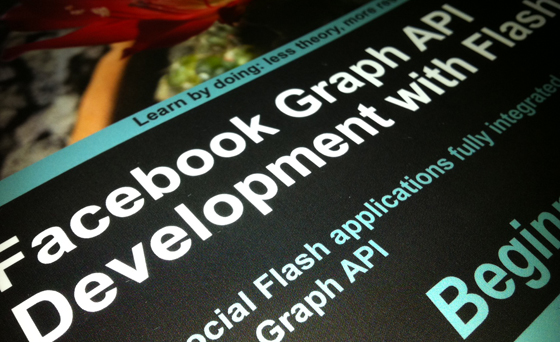
I don’t post enough about books on my blog, so here’s one for all you Flash developers out there interested in Facebook integration. Michael James William’s “Facebook Graph API Development with Flash” is a great introduction to the Facebook Graph API and definitely worth a read.

The book gets straight to the point and covers the following:

  • Personalise your AS3 projects for your users by adding Facebook integration
  • Grab information directly from Facebook into your applications by using Facebook’s Graph API
  • Securely authenticate your users with OAuth 2.0 to log them into Facebook
  • Access information about your users and their friends directly from Facebook
  • Upload photographs, add wall posts, and create events through AS3
  • Search on Facebook’s databases with the powerful Facebook Query Language
  • Build an AS3 Facebook SDK that you can drop into any AS3 project to add Facebook integration
  • Easily access both public and private Facebook data from the surface of a graph

So what the heck are you waiting for, head over to the Packt Publishing website and get yourself a copy.

Doppelgänger Released

You may remember I posted a few months back about our Facebook Challenge day at WeeWorld and my team’s heartache at unfairly losing to team Sex Panther. You don’t? We’ll personally I won’t forget coz the demo we produced was pretty cool. So cool in fact that Doppelgänger recently got added to the WeeWorld roadmap and has now gone live.

I said at the time how amazed I was at just what you can quickly produce with Flash, and it really didn’t take long at all to take it from prototype to a finished product. If I can find the time I might even try porting it to iPhone using Adobe AIR – think it would be an interesting experiment. You never know, maybe my boss MacDog will be reading this post and actually give me some official time to do it – after all, he’s probably still feeling kinda guilty about dismissing Doppelgänger first time round and awarding the prize to his buddies instead.

If you fancy giving Doppelgänger a go then click on the image above.

Adobe AIR 2.6 is Live

Good news, particularly for those interested in iOS development with Flash. Adobe AIR 2.6 is now live (runtime and SDK), with AIR for iOS now having feature parity with AIR for Android.

If you remember, Adobe temporarily halted development of the Packager for iPhone leaving those wishing to target the platform limited to AIR 2.0, while Android developers could take advantage of AIR 2.5. With this latest release, both iOS and Android developers can now use the same SDK.

Although it’s primarily iOS focussed, Adobe has also managed to squeeze in a few additional features, which you can find listed here along with the new features now available for iOS.

There’s also an article on Adobe Developer Connection by Christian Cantrell that covers some of the iOS specifics in a little more detail.

Flash Player 10.2 Available on Android Market

The latest Flash Player – 10.2 – is now available for download from the Android Market for Android 2.2 (Froyo), 2.3 (Gingerbread) and 3.0 (Honeycomb).

So what can users expect? Well Adobe are promising performance enhancements, which will extend to 2.2 and 2.3 devices. Also, for Honeycomb, the Player will be tightly integrated with the browser allowing Flash content to be treated as part of the web page, rather than a separate overlay, which is unfortunately the case with Android 2.2 and 2.3. So web pages that composite HTML over Flash content will now be rendered correctly.

The Honeycomb release of Flash Player 10.2 is still in beta so hardware acceleration isn’t actually switched on, so expect performance to get even faster once the final release hits Android Market. At present you can comfortably play 480p video on devices such as the Motorola Xoom and that should extend to 720p video once the hardware acceleration is added.

What Can You Do With Bytes?

So what can you do with bytes? Lots of things actually, and Thibault Imbert will prove it to you with chapters one and two of his book. Thibault has very kindly decided to make “WCYDWB?” available for free, with each new chapter being released as a PDF as soon as it’s finished.

I remember reading the first chapter a while back, so delighted that Thibault’s found the time to do the next chapter.

The book will cover seven different topics, detailing some very cool things you can do with binary and ActionScript 3. Each of the topics will be covered by a chapter and are listed below:

  • The first bits
  • Everyday bytes
  • Encoders
  • Parsers
  • Low-level networking
  • External devices
  • Emulators

So plenty still to look forward to and I’m sure most people would actually have paid for a book covering such detail. So a huge thanks to Thibault for doing this and can’t wait for the remaining chapters!

You can find more details over at www.bytearray.org.

Converting Flash Content to HTML5

You might remember the excitement at one of the sneak peek sessions at Adobe MAX, where a tool was shown that took Flash content and converted it to HTML5. Well Adobe has just made that tool available on Adobe Labs for anyone wishing to target non-Flash-enabled devices.

Codenamed “Wallaby”, this initial beta version is aimed at those wishing to deploy their Flash-based banner ads to HTML5. It doesn’t yet support ActionScript but Wallaby focusses on converting rich graphical content and timeline animations into HTML for browsers that support the WebKit rendering engine. Importantly that means that your Flash content will run on Apple’s range of iOS devices, which don’t currently support the Flash Player.

So what you waiting for? Give Wallaby a try and give your feedback to the engineers at Adobe.

Molehill Demonstrations

So I’ve been trying out the Flash Player 11 Incubator build and in particular some of the Molehill demos that have been released. So what do I think? Well I’ve been fairly impressed and Adobe seem to have delivered everything they promised. So here’s a list of some of the stuff I’ve been looking at.

Probably the most impressive demo at the moment is the excellent Zombie Tycoon, which is a port of the original PSP game. For a web game, it boasts an extremely impressive number of polygons and a super smooth frame rate. A great start.

This really caught my eye. It uses Away3D 4.0 to show off some of Molehill’s shading capabilities. The imported model uses a sub-surface scattering shader to create some very realistic skin textures.

The Alternativa3D 8 engine is looking extremely promising and was used by Adobe at October’s MAX conference to show off their MAX Racer demo. MAX Racer is definitely worth a few minutes of your time and gives an indication of what to expect from developers working with Molehill.

Zoom around a Quake 3 map loaded at runtime into Flash. Looks great and there’s even an example of an animated SWF being used as a texture in the game map somewhere. This application demonstrates what can be achieved with Minko, a next-generation 3D engine that uses the Flash Molehill APIs.

Another Away3D 4.0 demo, this time showing off a water effect that uses shallow water simulation equations with a mesh plane constructed from 80,000 triangles.

A nice demo built using the Coppercube 3D engine, showing a scene with many textures, character animation and camera flight.

Another Away3D 4.0 demo showing environment mapping.

Voxel Renderer. Looks pretty!

So there you have it. Some great looking demonstrations of the Molehill APIs and many of the 3D engines that will sit on top of it. And if you haven’t already done so, take a peek at the load on your CPU during each demo. You’ll find that it hardly bats an eyelid.

To run these demos you’ll need the Flash Player 11 Incubator build, which can be downloaded from Adobe Labs.