Kinect Native Extension for AIR

My brother was telling me how much fun he’d had over the weekend playing with a Microsoft’s Kinect he’d borrowed from a friend. It prompted me to dig out a blog post I’d seen not too long ago showing Kinect integration within Adobe AIR. The post was by Adobe Platform Evangelist Serge Jespers, and showed a native extension for AIR that allows you to read the Kinect sensor data within your application. You can see the awesome video demonstration from the post below.

As you can see, it’s pretty damn impressive and shows a user controlling a 3D monster rendered using Away3D (and Stage3D) all handled by AIR and the Kinect extension. The extension was written by Wouter Verweirder, and works with Adobe AIR 3.0+ on Windows and Mac OS X. You can download the extension from the as3NUI website, where you can also find tutorials and videos demonstrating how to use it. Really great stuff!

Default Deployment Settings in Flash Pro CS5.5

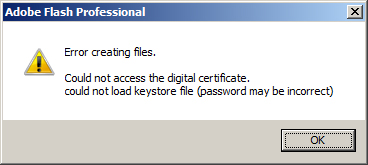
If you’re working your way through the code samples provided with Flash iOS Apps Cookbook then you may receive the following error when trying to publish each of the FLAs:

It seems that when working with FLA files that were authored by someone else, your own copy of Flash Professional won’t try to use the P12 certificate and provisioning profile that you’d previously set. You can change these paths back by simply opening the AIR for iOS Settings panel, clicking the Deployment tab, then immediately closing the panel by clicking OK – there’s no need to explicitly set the paths from the Deployment tab again.

Now you’ll be able to publish the FLA and deploy it to your iOS device.

This seems like slightly odd behaviour from Flash Professional, and I’m guessing it’s actually a bug. I’d imagine that any FLA file you load should always try to publish using your own deployment settings. Fingers crossed that this will be fixed when Flash Professional CS6 is released.

Angry Birds on Facebook

Rovio’s smash hit, Angry Birds, is now available on Facebook thanks to Flash Player 11 and the Starling framework. For those who don’t know, Starling is built on top of Adobe’s Stage3D API and provides hardware accelerate 2D graphics via the GPU.

If you take a look at the game’s credits screen you’ll see Starling proudly listed, along with Erin Catto, the creator of Box2D, who had a wee bit of a fallout with Rovio not too long ago. Oh and if you’re looking for new Flash-based blogs to follow then I highly recommend following Ville Koskela who was lead programmer on the Flash version of Angry Birds.

It’s certainly good to see Flash and Stage3D find its way into such high-profile work.

Minko ShaderLab

Take a look at the video below. Minko ShaderLab is an amazing web application that provides a visual programming environment for creating, testing, and sharing shaders. Written using Flex, it’s for anyone with a basic knoweldge of shader basics and 3D maths, and looks very easy to use.

It’s so powerful that you can build an entire hardware accelerated particle engine without a single line of ActionScript 3.0. So if you fancy being able to program the GPU and create shaders directly from a visual tool then do yourself a favour and sign-up for the beta tester program.

Flash iOS Apps Cookbook

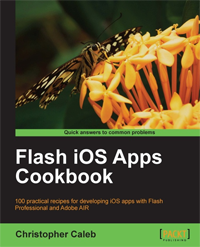
I’m delighted to announce that my book, Flash iOS Apps Cookbook, has been published and is available in paperback and various eBook formats including Kindle.

Written for both beginners and seasoned developers with a working knowledge of ActionScript 3.0 and Flash Professional, the book provides the recipes required to build native iOS apps using the Flash platform. Whether you want to create something new or simply convert an existing Flash desktop project, the relevant steps and techniques will be covered, helping you achieve your goal.

For those new to iOS development, I have paid particular attention to the fundamentals, focusing on the groundwork that many newcomers find daunting. The first few chapters show you how to join the iOS Developer Program, create the required developer files, and build your very first application using Flash Professional. For those with a firm grasp of the basics, there’s plenty to learn, from working with device sensors, to maximizing graphics performance using hardware acceleration.

Here are just a few of the things you’ll learn from the book:

  • Build your own apps, port existing projects, and learn the best practices for targeting iOS devices
  • Compile, configure, and publish native iOS apps directly from Flash Professional CS5 or CS5.5
  • Deploy your apps to iPhone, iPad, or iPod touch
  • Respond to gestures and multi-touch
  • Detect location and movement using the geolocation and accelerometer sensors
  • Target multiple screen resolutions including the Retina display
  • Accelerate graphics performance by utilizing the GPU
  • Implement FLV playback and high-quality H.264 video
  • Capture and manipulate video from the built in camera
  • Overcome performance and memory constraints
  • Utilize iOS-specific features with native extensions

More Detail:

You can find additional information, including a sample chapter, on the book’s official page at the Packt Publishing website. Additionally, I’ll be maintaining a dedicated page from my blog, where you will find additional tutorials, links to resources, and answers to frequently asked questions.

If you pick up a copy of the book then please do let me know what you think.

Creating a Deathmatch

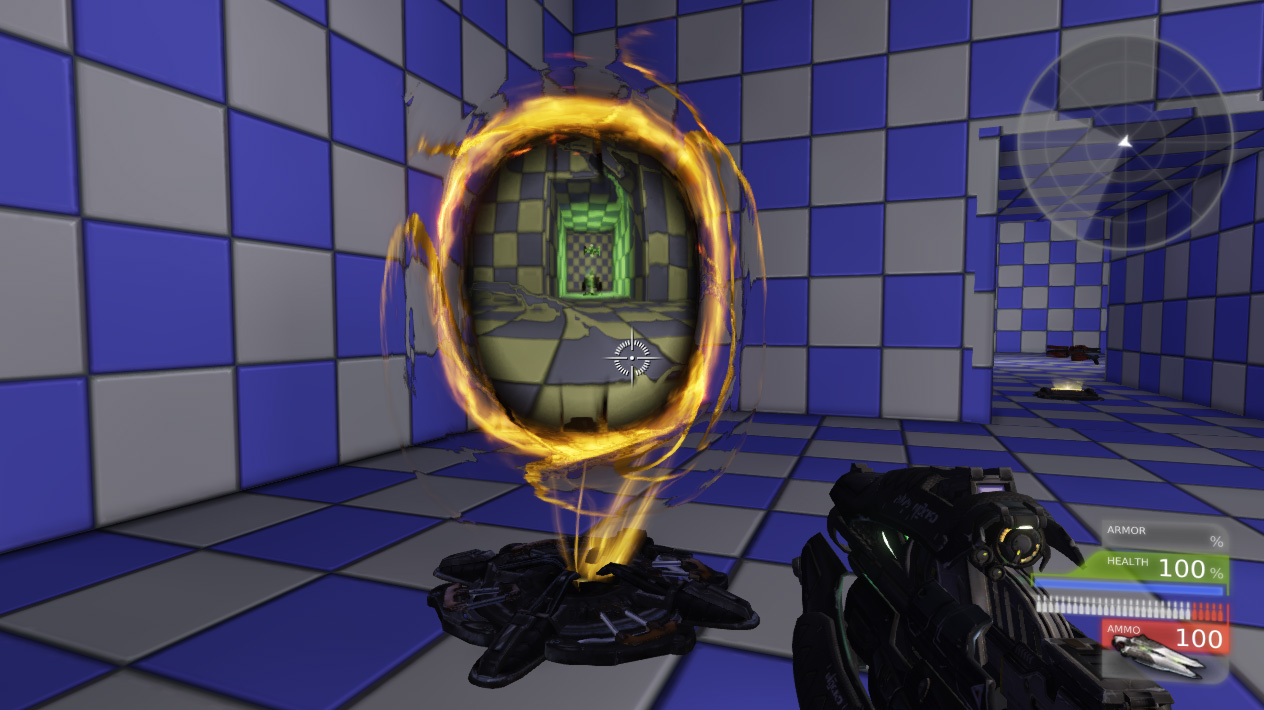
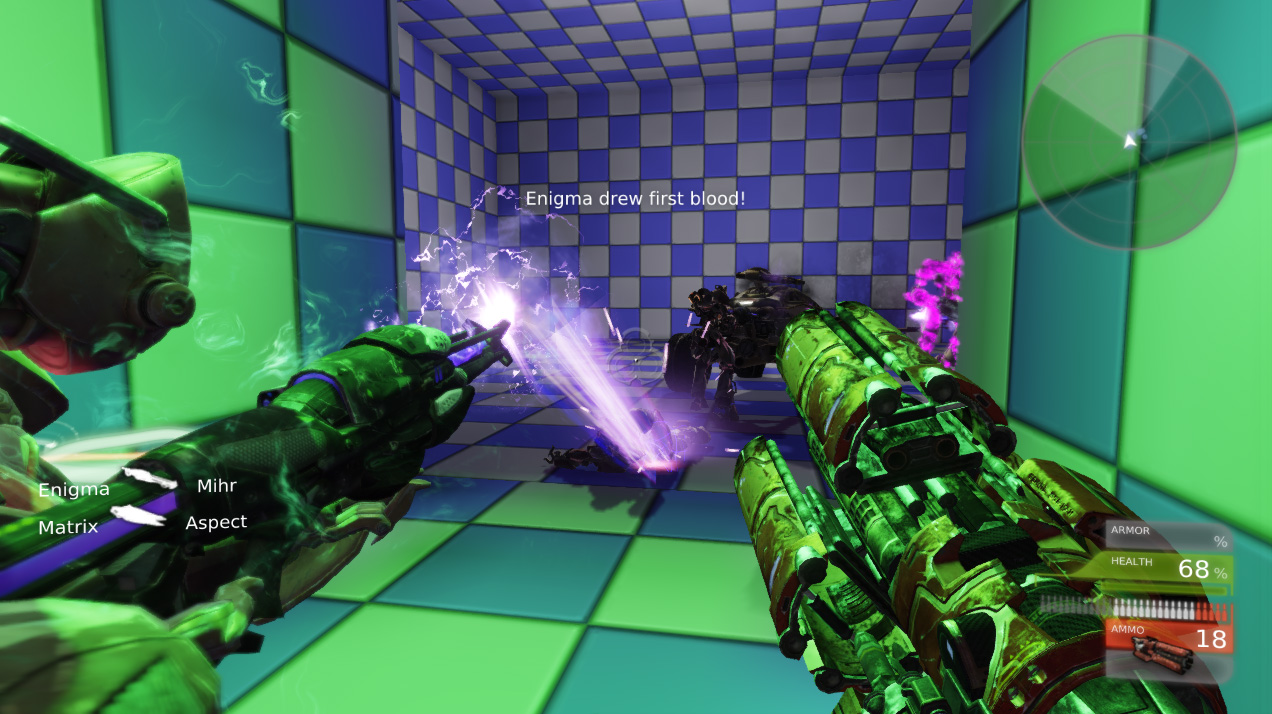
It really does amaze me what’s possible with UDK without the need for any scripting. I thought I’d try my hand at creating my first deathmatch, and it really wasn’t that difficult to get something up and running. My map was fairly simple, consisting of three rooms connected by two corridors, but it still provided plenty of fun.

With the portal I can sneak up on my unsuspecting enemies.

After placing enough spawn points I moved on to adding other features. First was a jump pad, which provided participants access to a ledge that was otherwise out of reach. Next up I added a series of pick-ups, including health packs, and various weapons, including a rocket launcher. I even connected two portals together, giving quick access between the first and third room.

The rocket launcher comes in handy when the going gets tough.

The icing on the cake was the vehicle I dropped into the centre of the map. My plan was to crush my opponents under its wheels, unfortunately I’d neglected to consider that any bots would be able to drive the damn thing too. So I actually spent the majority of each game’s time trying not to get run over myself! I’ve also been experimenting with UDK’s Kismet editor, which allows the creation of interactive scripting events. There’s even a timeline system that’s not too dissimilar to Flash’s own timeline, making it straightforward to build moving platforms and lifts complete with trigger points.

All good fun and it’s always good to be looking at new things.

More Unreal Engine Fun

Bro: Hey is that Crysis?
Me: Yeah why?
Bro: It still looks pretty awesome. Look at the foliage density!
Me: Ha! Just kidding, I created it using UDK.
Bro: Wow! You totally had me fooled. You rock!
Me: I know.

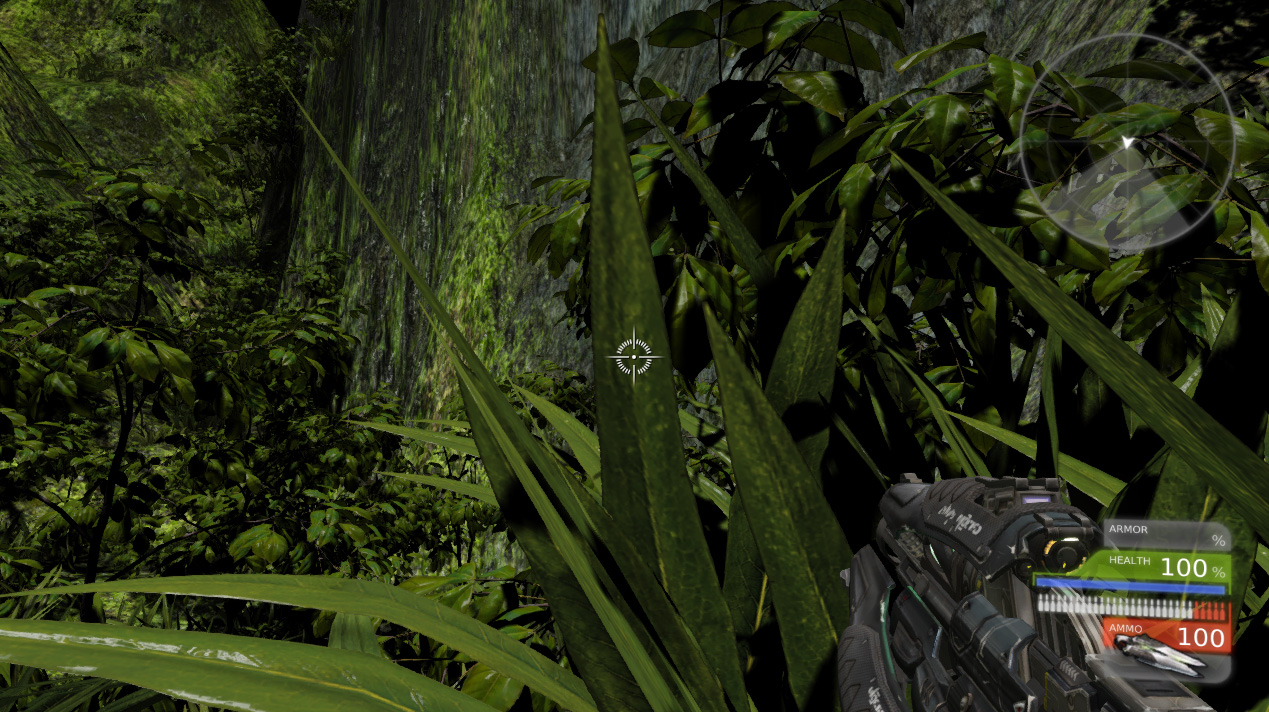
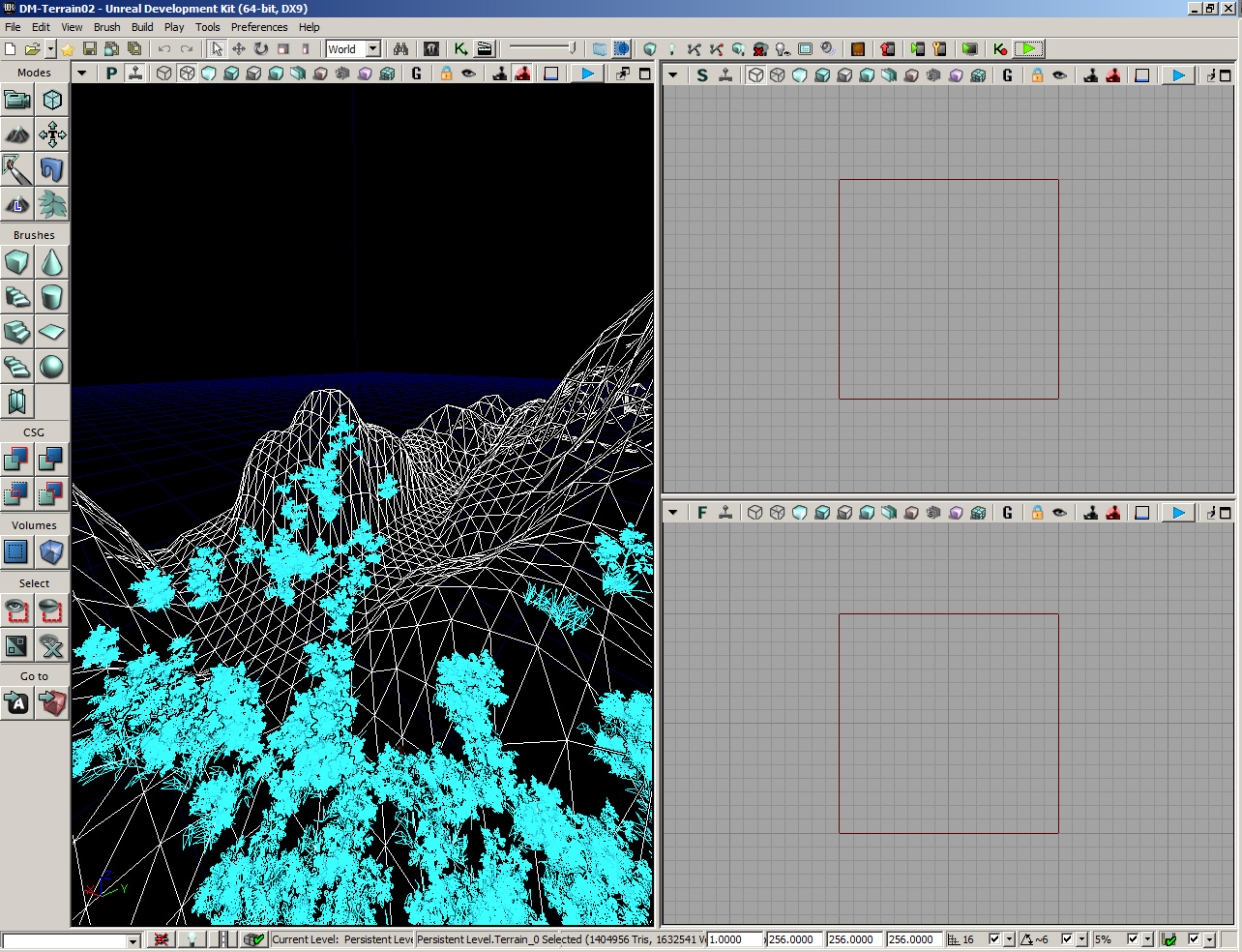
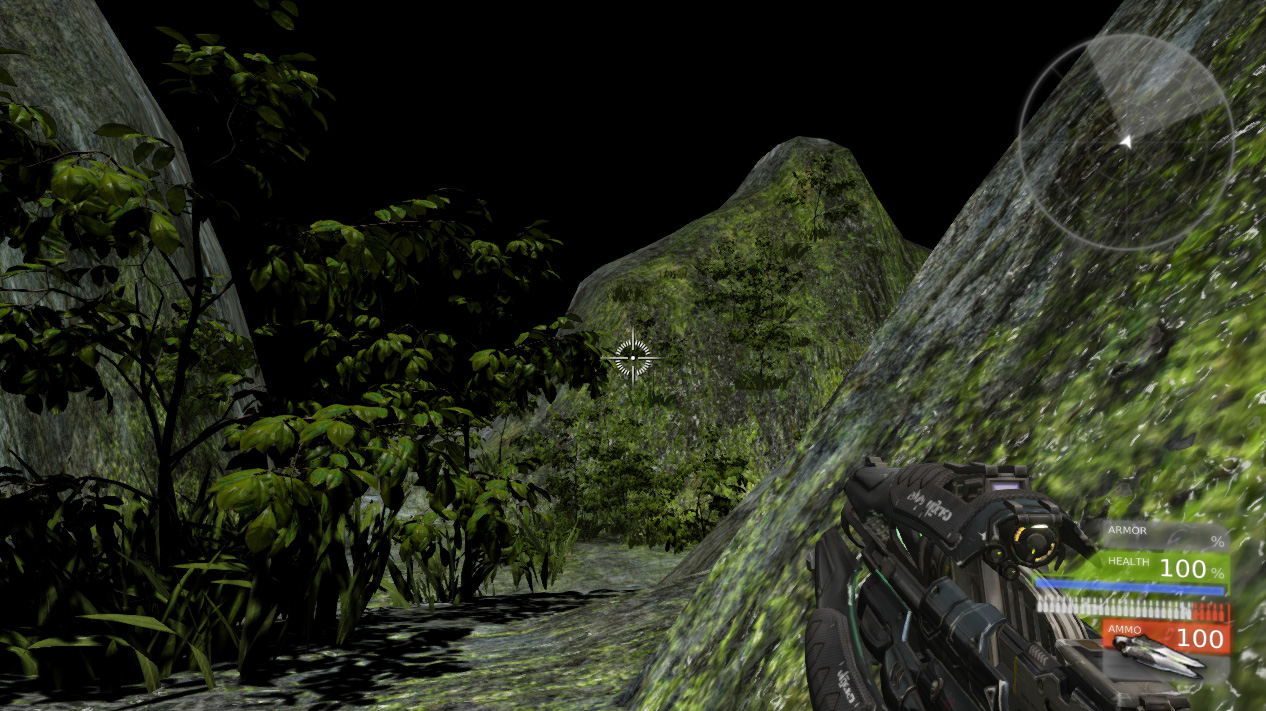
Fairly dense terrain to hack my way through while play testing my latest UDK map.

Yup, I finally found some time to mess around with UDK again and decided to try my hand at creating some realistic looking terrain. Well, okay, my efforts are hardly going to win me any awards but I was pleasantly surprised with what I managed to do considering my limited artistic abilities.

UDK makes it relatively easy to model realistic terrain.

UDK’s tools are pretty incredible to be honest, and using it really hits home how important good tooling is if you want to build rich interactive 3D worlds. Unreal Engine’s terrain editing features make a task that would otherwise be quite time consuming and difficult, relatively easy. I think I spent no more than 30 minutes shaping my terrain before adding some realistic mountain textures, and a scattering of static meshes for foliage. In many ways it feels just like you’re spray painting the decorations onto the landscape.

Snooping around looking for those killer bots.

I’ve still got lots to learn but I feel like I’m making real progress. I even had a few killer bots chasing me across the landscape, which was fun. Of course, with all these great features at your disposal, it’s very easy to create content without thinking too much about performance. My map really did struggle at points on my PC when the foliage density got quite high. I haven’t really looked into optimization yet but I’m guessing that it’s probably a whole discipline in itself. Given I’d like to eventually target iOS, it’s definitely something I’m going to have to look into.

Anyway, the next few weeks aren’t looking too hectic, so fingers crossed I can crack on with even more UDK experiments.

Setting iOS App Name from Flash CS5.5

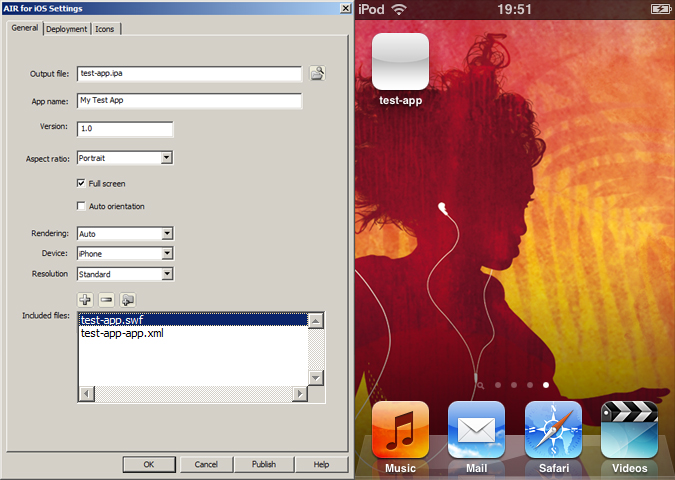
If you’ve overlaid the latest AIR SDK onto Flash Professional CS5.5 then you may have noticed that it’s no longer possible to set your app’s Home screen name from the AIR for iOS Settings panel. Previously the value of the App name field was used to set the application’s screen name.

For example, setting the App name field to My Test App should guarantee that an icon with the same name is shown on the device. You can see this in the screenshot below:

Pre AIR 3.1, the value of the App name field would dictate the app's screen name.

However, after overlaying the latest version of the AIR SDK, the application’s screen name is now incorrectly set to the name of the SWF published from your FLA. The screenshot below highlights this:

The app's screen name is now set to the published SWF's name.

Unfortunately this has been caused by changes in AIR 3.1, meaning you’ll need to manually edit your FLA’s application descriptor file in order to correctly set the app’s screen name.

The application descriptor file is an XML file that shares the same name as your FLA appended with -app.xml. For example, an FLA named test-app.fla will have an application descriptor file named test-app-app.xml sitting in the same folder. You can edit an application descriptor file from Flash Professional or from a text editor such as Notepad.

There are two possible changes you can make to the descriptor file to set your app’s screen name.

The first is possibly the most straightforward and involves changing the value of the <filename> tag:

<filename>My Test App</filename>

The second approach is to localise the <name> tag for multiple languages. For example, change its value from:

<name>My Test App</name>

to:

<name>
   <text xml:lang="en">My Test App</text>
</name>

More detail regarding localisation of application names can be found in this Adobe AIR article.

Also, remember to save the changes to your application descriptor file before opening the AIR for iOS Settings panel again.

New Flash Books from O’Reilly

O’Reilly recently released three new Flash related e-books, and the brilliant news is that they’re all available for free. First up there’s What’s New in Adobe AIR 3 and What’s New in Flash Player 11, both of which are by Joseph Labrecque, who is also the author of the excellent Flash Development for Android Cookbook. The third book, Introducing Starling by Thimbault Imbert, is for all those interested in taking advantage of Flash’s Stage3D APIs to create hardware accelerated 2D graphics.
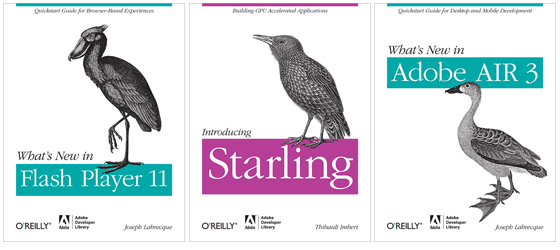
Joseph Labrecque’s titles do an excellent job of detailing the new features present in Flash Player 11 and AIR 3. Both books cover the recent graphics and video additions, including the API improvements, new external image capabilities and, of course, a discussion of hardware accelerated graphics rendering using Stage3D. Although Stage3D is clearly not the focus of either book, some time is spent providing code examples of it being used in conjunction with the high-level Away3D and Starling third-party libraries.

Two other extremely welcome additions to the Flash platform are H.264 video and native JSON support, both of which are also covered. There’s also plenty for mobile developers, with native text, hardware accelerated video, camera, speaker and encrypted local storage all featuring. Considering it’s not always easy to discover what’s new with each new major release, both “What’s New” titles should be considered essential reading.

As for Introducing Starling; given it’s depth, it’s ridiculous to think that Thibault Imbert’s offering is actually free of charge. A port of the popular iOS Sparrow library, Starling is an ActionScript 3 2D framework that has been developed on top of Adobe’s Stage3D APIs in order to provide lightning fast GPU-accelerated games and applications. The book covers everything you need to know in order to get up and running, gently introducing the reader to the many important concepts, the distinctions between Starling and Flash’s traditional display list, and also the similarities between the two.

By the end of the book you’ll be comfortable working with sprite sheets, be able to programatically create bitmap-based animations, and have a firm grasp of Starling’s event model. There’s also an introduction to particles, and some space dedicated to the integration of Box2D, and Robotlegs. I managed to spend some considerable time with this book when learning the Starling framework and it really was an invaluable resource. If you’re developing for iOS and Android then this will be vital reading when Stage3D rolls out across these platforms.

So there you have it. Three excellent books and all available free of charge! I’m not entirely sure where Thibault Imbert and Joseph Labrecque find the time and energy, but I’m grateful they do. There’s really no excuse for not popping over to the O’Reilly site and downloading these three gems.
Hullo 2012!

In my last post I recapped what I’d been up to last year, so I guess it’s only fair to go over my plans for the next twelve months. After all, the reason I started this blog was to force myself to learn new things and to share my findings. Hopefully by posting this it’ll force me to commit to at least some of them. I don’t think I’ll realistically find the time to do them all and my plans may change as the year unfolds but here goes anyway.

My Reading List

I really didn’t have that much time last year and ended up with a pile of books that I’m now looking forward to reading. I won’t list them all but hopefully I’ll find the time for the following three:

Adobe Flash 11 Stage3D (Molehill) Game Programming
HTML5 Canvas Cookbook
Learning HTML5 Game Programming

I also have Canvas Pocket Reference and jQuery Pocket Reference, which I’ll dip in and out of rather than reading from cover to cover.

Two books I did manage to get through were JavaScript: The Good Parts by Douglas Crockford, and Joseph Labrecque’s Flash Development for Android Cookbook. Both of which I highly recommend. I’m also partly through Unreal Development Kit 3 Beginner’s Guide, which I’m looking forward to finishing, but first I need to get through The Han Solo Adventures for Dave T at work – he gave me a loan of it like two years ago.

There are also a few other Flash books from O’Reilly, which I’m going to talk about in another post. That way I’ll be able to give them the attention they deserve.

HTML5

I know what you’re thinking, there sure is a lot of HTML5 reading on that list. Well for some time now I’ve been wanting to spend more time with JavaScript and all those other fancy gubbins that go with it. As I said in my previous post, I’ve already ported my Android Speedometer app to HTML5 and I think I’ll do the same with a few other things I’ve written over the years. I might take a look at PhoneGap too, and I also ran through a few Adobe Edge tutorials and will probably keep an eye on its progress.

3D or Not 3D

You’ve no doubt noticed that Stage 3D is top of my list (excluding ‘The Han Solo Adventures’). I’ve been threatening to get into 3D games programming for years but never seem to find the time. Fingers crossed this will be my year. I’m not restricting myself to Flash either. I’ve spent some time with Unreal Development Kit and hope to carry on with that too, as well as taking a look at WegGL – there’s a really great community building up around three.js and some of the demos I’ve seen have been really fantastic.

AIR for iOS

I’m looking forward to seeing how things unfold with AIR for iOS this year. Fingers crossed that Stage 3D and Starling do the business on mobile. Both have amazing potential but Adobe really need to get these things right first time. And while I’m on the subject, it would be nice to see some more iOS and Android specific APIs from Adobe.

Hopefully I’ll find the time to look more at Stage 3D, and AIR for iOS in general, and write some more tutorials. I’ll also be supporting my book throughout the year with tutorials and links to relevant URLs.

Phew! That’s a Lot!

Yeah, reading all this back has made me realise how ambitious this all sounds 🙂 Well let’s see what I manage to get through. Maybe I’ll make it a two year plan rather than one.