An Introduction to Starling and Sprite Sheets

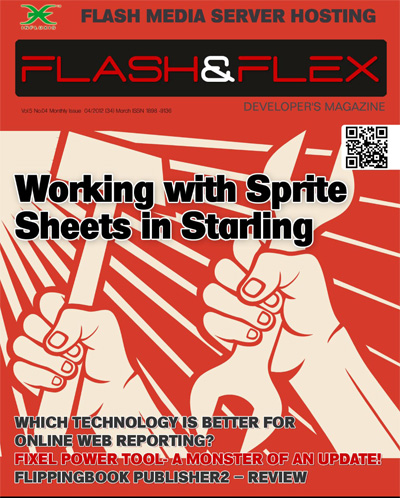
The April issue of Flash & Flex Developer’s magazine is now available and includes my second Starling framework tutorial. It covers some of Starling’s display list basics and demonstrates how to create animation with the use of sprite sheets.

Just head over to the magazine’s offical website where you can download the latest issue for free. Oh and if you’d like to see what you’ll actually be creating then take a look at this video, which shows a slightly altered version I put together for iPad.

Overlaying AIR 3.2 for Flash Professional CS5.5

AIR 3.2 has been released so it’s time once again for me to update my AIR Overlay tutorial for Flash Professional CS5.5 users.

So if you’d like to use the AIR 3.2 SDK from within Flash Professional then click through to the following post: Overlaying AIR 3.2 SDK for Flash Professional CS5.5.

Improving Starling’s Performance with Blend Modes

I’ve been impressed by the Starling framework but like many I’ve struggled to get a solid 60fps on some of the older mobile devices out there. For example, my recent parallax scrolling demo was capped at 30fps on iPad 1 whereas the iPad 2 was easily capable of running it at a full 60fps without batting an eyelid.

Thankfully the latest version of Starling now supports blend modes and there’s one in particular that can really give your apps a performance boost in certain situations. It’s called BlendMode.NONE and it deactivates all Stage3D alpha blending on any display objects that it’s applied to. This is perfect for large background images or tile maps that don’t require an alpha channel.

Let’s take a look at a quick code example. First import the BlendMode class:

import starling.display.BlendMode;

Now simply apply the blend mode to your display object. We’ll use an Image in this example:

var image:Image = new Image(backgroundTexture);
image.blendMode = BlendMode.NONE;

And that’s basically it. If you’re applying BlendMode.NONE to large (or many) display objects then you’re likely to see a significant performance boost on a large number of devices. Remember however, if your display object requires the use of transparency then you won’t be able to use BlendMode.NONE without losing its alpha information.

For some additional detail and a list of the available blend modes, pop on over to this post on the Starling forum.

Starling Bubbles

If you’ve been working your way through my book then you may find the content in the following video familiar. As part of a series of articles I’m writing for Flash & Flex Developer’s Magazine, I decided to revisit the underwater bubbles scene from my Flash iOS Apps Cookbook. However, whereas the cookbook focusses on Flash’s native display list and its GPU rendering mode, I thought this time I’d show you how to make something similar using the Starling framework.

The tutorial actually targets the Flash desktop player but I thought it would be fun to spend a little time adding some additional motion to the bubbles and quickly deploy it to iPad. As you can see it turned out quite well. It may not be easy to spot, but if you look at the bubbles in the video you’ll notice that they very subtly animate as they move. In fact there’s over 200 frames of animation for each bubble that were very kindly animated and rendered by my brother. It’s always handy to have a family member who’s an expert at 3D animation and modelling.

Anyway if you’d like to try building this simple bubbles demo yourself using ActionScript 3 and Starling then look out for April’s edition of Flash & Flex Developer’s Magazine. In fact I’ll let you guys know when it’s available. Oh and sorry about the extremely shaky camera hand.

JavaScript Parallax Scrolling

My Starling parallax scrolling demo that I showed off running on iPad seems to have gotten quite a lot of attention recently. So I thought I’d strike while the iron was hot and quickly throw together a JavaScript version, which you can hopefully see below. I’d originally been working with the graphics from Halfbricks’s excellent Monster Dash HTML5 game, but seeing as this version was going to be publicly available via my blog, I thought I better find alternatives. Thankfully my girlfriend Amanda very kindly created a new set of PNGs for me to use.

I opted for the excellent IvanK Lib for my choice of 2D graphics library as it was based closely on Flash’s own display list, making the port to JavaScript quite straightforward. If you’re planning on taking your Flash skillsets over to JavaScript then IvanK is definitely a good place to start. Its website has some really simple tutorials that will get you up and running in no time at all. If I can find the time I might also try using Grant Skinner’s EasleJS, as IvanK doesn’t yet support Android or iOS devices.

I had to scale down my JavaScript version to fit my blog’s layout. But if you want to see the demo running at its intended resolution then just click here.

Some Great Flash Announcements

The last few weeks have seen a series of great announcements for the Flash platform and I thought I’d take some time to cover some of my favourites.

Stage3D and Unreal Engine

The most recent, was the availability of Epic Citadel, which demonstrated the Unreal Engine running within the desktop Flash Player. Using Stage3D to take full advantage of hardware acceleration, Epic Games were able to provide graphics that exceeding what their engine is capabale of producing on Xbox 360 and PS3. I’ve been getting to grips with UDK development recently and the prospect of being able to deliver 3D games of this quality via the browser is quite mouthwatering.

Stage3D for iOS and Android

With the AIR 3.2 release candidate we now have the ability to deliver GPU accelerated 2D and 3D graphics to both iOS and Android handsets. This is a significant step for the Flash platform as it finally opens AIR to more serious developers wishing to target mobile. I’m looking forward to seeing what’s possible but some of the initial demonstrations and apps that I’ve seen are looking really promising.

Nape Physics & ND2D

Something that’s caught my eye of late is the Nape physics engine, which unlike Box2D, seems to have been optimized for mobile. It’s gaining some widespread acceptance and Adobe Gaming Evangelist, Lee Brimelow, has released a great tutorial introducing the basics.

Jumping back to Stage3D for a moment, there’s been considerable focus on the Starling framework. However there are many other alternative 2D graphics libraries already popping up that you may want to consider for your projects. One that’s gathering a lot of support is ND2D, which is feature rich and also seems capable of creating very high performance apps.

If you still need convincing about the merits of each then why not take a look at some of these demos, which take advantage of both.

CreateJS and Flash Pro HTML5 Exporter

HTML5’s continuing march forward, and Apple’s refusal to support Flash on iOS has forced Adobe to scrap Flash player for mobile and instead conentrate on gaming via AIR. This decision however has left many speculating about the future of Flash Professional and also the future of the Flash platform. However the announcement of CreateJS and an HTML5 exporter for Flash Professional could very well see web developers once again using Flash Professional to create rich content for the web.

An extension will be made available along with Flash Professional CS6 (hopefully) that will allow graphics and sound content from Flash’s library to be exported to HTML5. You’ll then be able to use the CreateJS framework to interact with and manipulate the content. So okay, you’ll need to code in JavaScript rather than ActionScript, but personally I think this is a better solution as JavaScript is clearly ubiquitous and has an unrivalled number of amazing libraries for web developers to take advatage of.

I may have left this until last but in my opinion, CreateJS and the Flash Pro HTML5 Exporter, could very well be the two most significant things to come to the Flash Platform in the last few years. If it’s successful it should give Flash Professional a future, something which I think has been cast in doubt since Adobe’s decisions and disasterous PR during what many now refer to as black November.

Creating Particle Effects with Starling

I was asked by Flash & Flex Developer’s magazine to write a tutorial covering Starling and its particle system extension. So if you fancy seeing just how easy it is to get really great particle effects up and running using Starling then head on over to the magazine’s official website and grab yourself a copy of the March issue.

Each issue is free and can be downloaded by subscribing to the magazine’s mailing list. I highly recommend doing so as there’s always some really great content every month for both beginners and professional developers. This month’s issue also includes an article about the reality of HTML5 game development, and an interview with Adrian Simonovich, who is CEO of Flare3D.

60fps scrolling using Starling

I really do love the simplicity of one-touch mobile games. They’re just so much more accessible to a casual audience compared to modern console games that typically require you to mash a thousand different buttons. However, their apparent simplicity may mislead many to think that such games are easy to make. They’re actually anything but.

With the official release of the Starling Framework, and the availability of AIR 3.2 RC I thought I’d have a bash at creating the scrolling tile map used in Halfbrick’s excellent Monster Dash game. You can see my efforts in the video above, where I managed to get it running on iPad 2 at a rock solid 60fps. It currently manages a respectable 30fps on iPad 1 but hopefully I’ll find some time to try some more optimizations. I was also curious to see if Starling was helping to alleviate the strain on the CPU. A quick check using Instruments on Mac revealed that my ActionScript was consuming only 10% of the CPU, which was really encouraging.

I’m really looking forward to seeing what others in the Flash community produce with the various frameworks that are built on top of Stage 3D.

Launch Image Bug on Landscape iPad Apps

I had a conversation with interactive designer Chris Gannon the other day regarding a screen flicker he’d noticed when his iPad app was transitioning from its launch image to the first frame of its SWF. Of course the transition between the two should actually be seamless but Chris had noticed that an intermediate black screen was appearing momentarily instead.

It turns out this is a bug with AIR for iOS that affects iPad apps that are packaged with a landscape aspect ratio. However there’s actually a very easy workaround. While most developers tend to include a Default.png file as their app’s launch image, there are several launch images that can be bundled with an iPad app depending on the orientations it supports. To prevent the screen flicker from occurring simply package a Default-Landscape.png image with your app, making sure that the image has a size of 1024×768 pixels.

This bug seems to be present in AIR 3.1. Fingers crossed we’ll see it fixed in an upcoming release of the AIR SDK.

Flash Roadmap Whitepaper

Adobe released its eagerly anticipated whitepaper outlining the future direction of Flash and AIR. With the desktop Flash Player fighting a losing battle against HTML5, and the mobile player dead, it’s no real surprise that Adobe has decided to focus on gaming and the deployment of premium video.

Personally I think this is a good move and really the only option available currently. While the aim is to secure Flash’s future for the next decade, the paper outlines the general roadmap for the first two years, and there are some really welcome things planned. Also, the whitepaper does state that although gaming and video are now the focus, it does not mean that Flash should not be used to create content of other types.

If you want to see the full list of proposed features then take a look at the whitepaper, however here are a few that I’m personally pleased to see on the horizon:

  • Mouse lock support
  • Hardware accelerated graphics support for iOS and Android
  • Low-latency audio support
  • Ability to progressively stream Stage3D textures
  • Concurrent ActionScript execution of seperate threads
  • Support for advanced profiling
  • Improved ActionScript performance when targeting iOS
  • ActionScript 4

For me that’s a very exciting list of things, unfortunately, some won’t be available until 2013. Two such features are the ActionScript performance improvements for iOS, and a new version of ActionScript. As you know, ActionScript 3 has been around since 2006 and has seen no significant updates in that time, so the prospect of a new version is mouthwatering. The next version of ActionScript will be designed with performance in mind, and additionally, it looks like Adobe may attempt to make the language more accessible. Here’s a quote from the whitepaper:

Performance is the primary goal when we approach how to evolve ActionScript. Second, Adobe aims to increase developer productivity by simplifying the language, improving tool support, and boosting bug prevention.

As someone who is increasingly focussing on AIR for iOS, the ActionScript performance improvements really can’t come quick enough. The advanced profiling features are also going to be invaluable for anyone trying to squeeze as much performance as possible from mobile.

While most of what is written is very positive I was a little concerned about the statement regarding Native Extensions for AIR. Here’s what Adobe had to say:

While desktop and mobile-specific APIs will be developed, they will not be the primary focus for Adobe AIR development efforts. Developers requiring functionality not available directly via Adobe AIR APIs should consider adding that functionality via the native extensibility API.

So it looks like Adobe will continue to write mobile-specific APIs but what about platform-specific APIs such as In-App Purchasing, Game Center, MapKit etc for iOS? I’m aware that some of these APIs are already available from third-party developers but I really do hope that Adobe put some effort into providing many of these APIs along with AIR.

I understand the goal is one of cross-platform, but for many, including myself, I really only have an interest in a single platform for the time being. I’m not particularly fussed if some of these APIs aren’t cross platform, and to be honest, I can always just use conditional compilation to work across such issues if I decide to eventually target other mobile platforms.

To create the best applications possible on iOS, I (and I suspect many other developers too) need AIR to provide some more iOS-specific APIs, even if doing so goes against Adobe’s cross-platform mantra. Can’t we just have an extensions.ios and extensions.android package structure for such things? Just a thought, and I appreciate Adobe has limited resources.

On the whole though, lots of things to look forward to. Take a look at the whitepaper if you haven’t already done so.