Packt Cookbook Giveaway

I’m giving away two copies of the excellent Flash Development for Android Cookbook by Joseph Labrecque, and you’ll be delighted to know that entering the giveaway requires almost no effort at all!

To whet your appetite, here’s a little information about the book from the Packt Publishing website:

  • The quickest way to solve your problems with building Flash applications for Android
  • Contains a variety of recipes to demonstrate mobile Android concepts and provide a solid foundation for your ideas to grow
  • Learn from a practical set of examples how to take advantage of multitouch, geolocation, the accelerometer, and more
  • Optimize and configure your application for worldwide distribution through the Android Market
  • Each recipe is a carefully organized sequence of instructions to complete the task as efficiently as possible
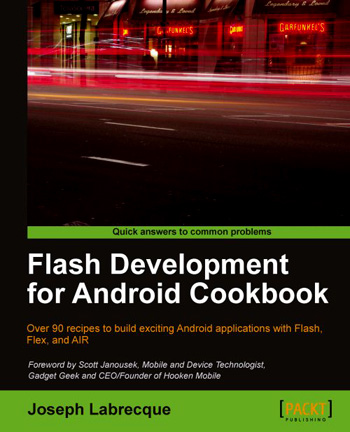
So how do you go about getting your hands on a copy? Simple. Just head over to the book’s official page then add a comment to this post letting me know one feature of the book that makes you want to own it. The two lucky winners will each receive an eBook version of the cookbook.

The contest will close on October 7th at 11:59 p.m. BST. Winners will be contacted by email, so please remember to use your real email address when you add your comment.

Good luck!

The competition is now closed and comments have been disabled. The winners will be contacted.
Overlaying AIR SDK for Flash Professional CS5.5

If you’re using Flash Professional CS5.5 (CS6 owners should follow these steps) and would like to take advantage of the AIR 3.5 SDK then perform the following steps for your operating system of choice.

Microsoft Windows

  1. Ensure that Flash Professional CS5.5 is closed.
  2. Download the AIR 3.5 SDK for Windows archive from the Adobe website.
  3. Copy the archive to your desktop and extract it to a folder.
    After unzipping you should be left with a folder named AdobeAIRSDK on your desktop. This folder will contain the AIR SDK.
  4. Using Windows Explorer, browse to Flash Professional’s root folder: C:\Program Files (x86)\Adobe\Adobe Flash CS5.5.
    On 32-bit versions of Windows the Program Files (x86) folder is named Program Files
  5. Find the AIR2.6 folder and rename it to AIR2.6-old.
  6. Copy the AdobeAIRSDK folder from the desktop to Flash Professional’s root folder and rename it to AIR2.6.
  7. Using Windows Explorer, browse to frameworks\libs\air within your newly renamed AIR2.6 folder.
  8. From this folder, copy airglobal.swc and paste it over the existing version of the file at C:\Program Files (x86)\Adobe\Adobe Flash CS5.5\Common\Configuration\ActionScript 3.0\AIR2.6
  9. Using Windows Explorer, browse to C:\Program Files (x86)\Adobe\Adobe Flash CS5.5\Common\Configuration\Players and open AiriPhone.xml using Notepad.
  10. Change the version attribute of the <player> tag to 18 and save the file:
    <?xml version="1.0" encoding="UTF-8"?>
    <players>
      <player id="PFI1_0" version="18" asversion="3" minasversion="3">
    
  11. Staying within the same folder, perform the above step for AdobeAIR2_6.xml and Android.xml.

Mac OS X

  1. Ensure that Flash Professional CS5.5 is closed.
  2. Download the AIR 3.5 SDK for Mac OS X archive from the Adobe website.
  3. Copy the archive to your desktop and extract it to a folder.
    You should be left with a folder named AdobeAIRSDK on your desktop. This folder will contain the AIR SDK.
  4. Using Finder, browse to Flash Professional’s root folder: Applications/Adobe Flash CS5.5
  5. Find the AIR2.6 folder and rename it to AIR2.6-old.
  6. Copy the AdobeAIRSDK folder from the desktop to Flash Professional’s root folder and rename it to AIR2.6.
  7. Using Finder, browse to frameworks/libs/air within your newly renamed AIR2.6 folder.
  8. From this folder, copy airglobal.swc and paste it over the existing version of the file at Applications/Adobe Flash CS5.5/Common/Configuration/ActionScript 3.0/AIR2.6
  9. Using Finder, browse to Applications/Adobe Flash CS5.5/Common/Configuration/Players and open AiriPhone.xml using TextEdit.
  10. Change the version attribute of the <player> tag to 18 and save the file:
    <?xml version="1.0" encoding="UTF-8"?>
    <players>
      <player id="PFI1_0" version="18" asversion="3" minasversion="3">
    
  11. Staying within the same folder, perform the above step for AdobeAIR2_6.xml and Android.xml.

Now whenever you create an AIR application it will be set to use the AIR 3.5 SDK.

If you encounter any problems then you may want to refer to Daniel Albu’s excellent tutorial on the ActiveTuts+ network. Alternatively consider taking a look at the following video by Brent Arnold. The video covers AIR 3.0 but the steps are the same.

Adobe Imagination Challenge

If you’re a student in the United Kingdom and you fancy winning some serious money for showing off your creative talents then Adobe’s latest competition might be right up your street. The Adobe Imagination Challenge runs until November and gives students in the UK the opportunity to gain national recognition for their work. Guest judges Helena Christensen (supermodel, photographer), Greg James (TV & Radio presenter) and David Rowan (Editor, Wired UK) will select three eventual winners who will each walk away with £10,000!

So how do you take part? Well, first head over to the Adobe Students portal where you’ll find a library of videos, tutorials, blogs and download trial versions of Adobe Creative Suite 5.5 Student and Teacher Edition. Then all you need to do is creative something using Adobe software. It can be anything you like: a poster, video, a poem, or a dream even. Just be creative and share your vision in a unique way.

Good luck. Oh and you don’t have long left so stop wasting your time attended lectures and get cracking.

Flash Development for Android Cookbook

I’ve had this book on my radar for some time, and I’m glad to have finally gotten my hands on a copy. Joseph Labrecque’s “Flash Development for Android Cookbook” looks like it’s going to be perfect for anyone wishing to take the plunge with Android development using Flash. And to be perfectly honest, from what I’ve read so far, there’s plenty for those who’re already familiar with the platform too!

Joseph covers an incredible amount throughout the book’s 350 pages, with each recipe being concise and easy to understand. He’s also made a point of covering a range of IDE’s – Flash Professional, Flash Builder, Powerflasher FDT – ensuring that almost anyone can get up and running. By the end of the first chapter you’ll know how to configure the AIR SDK and be comfortable publishing content.

I’m thoroughly enjoying this one and I’ll let you know how I get on. At the rate I’m chomping through it, you probably won’t need to wait too long.

AS3-like features in JavaScript

Is the thought of writing web applications in JavaScript getting you down? Does it bring back all the horribly memories from the dark days of ActionScript 1? We’ll it does for me, which is probably why Jangaroo makes me feel all warm and happy inside. What is it? Well basically it allows JavaScript to adopt many of the language features of ActionScript 3, including packages, classes, inheritance, interfaces and private members. Looks interesting.

Native Extensions

Native extensions are one of the most exciting new features that will be coming to AIR 3.0. For those who don’t know, it will allow developers to create their own ActionScript extensions that leverage native APIs that aren’t directly available from the AIR SDK.

So for example, those using AIR for iOS, will be able to take advantage of APIs such as In-App Purchasing and Notifications. It doesn’t end there though. As this excellent video by Mark Doherty shows, you can also render native UI within your app. In his video, Mark shows off Apple’s MapKit API being used to render interactive maps directly within his AIR for iOS app. It’s great stuff and really helps to plug many of the holes that were remaining in AIR.

Machinarium for iPad 2

Here’s by far the most beautiful AIR for iOS game to date. Machinarium, the award-winning, point-and-click adventure is now available for iPad 2 and managed to grab the #1 spot for all paid categories in the US after just one day!

Many of you will recognised Machinarium as it started life as a Flash in-browser game where it received considerable attention and much deserved critical acclaim. So it really made perfect sense for developers, Amanita Design, to use Adobe AIR to port it to iPad. And thanks to AIR’s cross-platform support, Machinarium will also be coming to Android Market and Blackberry AppWorld very soon.

If you’d like to know more then Adobe evangelist, Tom Krcha, has an interview with Machinarium’s designer, Jakub Dvorský. Here’s a little snippet from the interview, which I think sums up the strengths of the Flash platform for mobile and tablet development:

We don’t know any other tool for making such rich and interactive animations like Flash. And AIR was for us the only way how to get the game on iPad and other tablets in a relatively short time.

Another success story for the Flash Platform on mobile and I’m looking forward to seeing what comes next now that AIR 3.0 is on the horizon.

Supporting both Flash CS5 and CS5.5

Don’t worry, that’s not the only copy I have of my book. And no, I don’t intend to take a drive along a dangerous snowy mountain road anywhere near a crazy woman’s cabin.

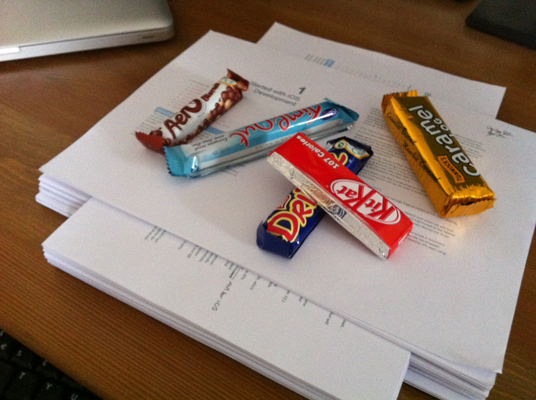
It’s just that I’ve learned a lot while writing the Flash iOS Apps Cookbook. Firstly, hard copies are important – they really do help you spot mistakes that for some reason elude you when reading on a screen. Secondly, a good selection of biscuits* is essential! I’m particularly enjoying those new Aero biscuit thingies at the moment, and the Kit Kat is a timeless classics in my opinion.

Anyway, you’re probably more interested in my progress, and there are a few things I’d actually like to talk about. The first draft (pictured above) was finished just over a month ago and I’m now working my way through the excellent feedback I’ve currently received from my technical reviewers.

In fact, it’s actually a comment from one of the reviewers that’s prompted me to write this post. You see, he’d asked why I’d bothered covering both Flash Professional CS5 and CS5.5. Why not just focus on 5.5? It’s a very good question and one which I’ll now attempt to answer.

The Flash iOS Apps Cookbook did actually begin life as a CS5.5 only title. However it became apparent early on that there were many people who hadn’t yet upgraded from CS5 to CS5.5. In fact, several of my technical reviewers have yet to upgrade. WeeWorld, the company I work for, is also still using Flash CS5 and this is the case for many other organisations out there.

So in an attempt to extend the book’s reach as far as possible, the decision was taken to cover Flash Professional CS5 as well as CS5.5. Of course, CS5 users won’t be able to attempt all recipes – but they can work their way through around 75% of the ones that currently feature in the RAW version of the book, which is pretty good if you ask me.

Of course this doesn’t mean I’m neglecting the newer features of AIR that are available to CS5.5 users. I’m hoping that the material that covers the more recent features will actually encourage CS5 owners to upgrade. After all, the performance gains that have been made recently with AIR for iOS are significant, and I aim to highlight that wherever possible.

So if you’re a CS5 user and fancy dipping your toe into the water then there’s plenty on offer for you. And if you eventually want to take your iOS development more seriously then there’s more than enough additional content there to encourage you to upgrade to CS5.5 and take full advantage of AIR for iOS.

* I believe they’re called ‘cookies’ in the US, but here in the UK we have a distinction between a biscuit and a cookie. Or at least they do in the part of the UK where I’m from 🙂

Adobe AIR Challenge

Writing a mobile app using Flash? Want to win a cash prize? Then why not enter the Adobe AIR App Challenge!

Sony has partnered with Adobe to offer a grand prize of $100,000 for the best application optimized to run on their new Android-based Sony Tablet S1 and Sony Tablet S2 tablet devices. The competition has been running for a few months now but with the final app submission date set for November 11 there’s still plenty of time to get your entry ready.

There’s actually $200,000 worth of prize money up for grabs and by entering you also have a chance of being selected to receive early access to the Sony S1 and S2 prototypes! I’ve actually been meaning to blog about both tablets for a while now as they certainly stick out from the crowd. The S1 in particular looks like a particularly attractive device and its 9.4-inch screen might just make it a little more comfortable to hold than the iPad.

The competition is open to residents of the USA, UK, Spain, Germany, Italy and Japan. Oh and your submission can be created using either Adobe Flash Professional, Flash Builder, or the Flex SDK. So what are you waiting for? There’s fame and fortune to be had.

Timer Bug in AIR 2.7 for iOS

I was running a rendering test the other day on my iPhone when I noticed something odd. The test was claiming that twice the number of frames were being rendered using AIR 2.7 compared to the AIR 2.6 equivalent that I had run a few months back. This seemed like a pleasant surprise because although I was aware that CPU rendering was significantly faster in the latest version, I hadn’t heard of any improvements when utilising GPU rendering, which my test was using.

However, after running it a few more times it dawned on me that rendering probably wasn’t any better using 2.7 and what I was actually looking at was some sort of timing bug. You see, my test randomly repositions a number of movie clips on each ENTER_FRAME event. After five seconds the number of frames that were successfully rendered is written to the screen. But the test wasn’t running for only five seconds, it was actually much closer to ten!

I quickly checked my code to see if I was doing anything stupid and then, suspecting that there was something badly wrong with the Timer class in AIR 2.7, did a quick Google. Sure enough, there’s a known bug in AIR 2.7 on iOS with the Timer class. It seems like it has been fixed in an internal build but I’m not sure if we’ll need to wait for the next major release of AIR or if Adobe will push out a minor release with this fixed.

So there you go. No GPU rendering improvements and one fairly annoying bug. It’s a real shame that this one slipped through but fingers crossed we’ll see a fix for it soon. And if any of your AIR 2.7 projects on iOS rely on the Timer class then you’ll need to find a work-around.