Merry Christmas

For those who don’t know me, I like Star Wars even more than I like Flash. With Christmas only a few days away I thought I’d share this photo with you guys and tell you a little cautionary Christmas tale.

That’s me and my brother dressed up in those crappy Star Wars costumes. And even though we were only seven, we could tell that ours fell quite short of the originals worn in the movies. The masks we’re wearing can’t even hide our disappointment.

Now call me ungrateful, but when my folks told me that Santa was bringing me a Darth Vader outfit I expected it to be exactly like the one from the film. Not once did they sit me down and try to lower my expectations by explaining things.

So I excitedly counted down the days only to be left mentally scarred by what turned out to be one of the most disappointing Christmases I’ve ever had. Not even a surprise visit from my Unlce Borat, who flew all the way over from Kazakhstan, could cheer me up.

So if you have kids, make sure you’re straight with them about what they’re getting. You don’t want them turning to the dark side do you.

Now don’t get me started on the fake Lightsaber I got the year before. Oh and have a great Christmas and New Year!

GPU Rendering on iPhone and Android

I’ve been meaning to write this post for a few months now but never seemed to find the time. It’s related to my Packager for iPhone: Render Performance article and regards rendering differences between content written for AIR for Android and the Packager for iPhone.

In short, the article highlighted the performance problems when playing timeline animations on iPhone and instead suggested the use of ActionScript to create bitmap animations by flicking between a collection of BitmapData objects, where each BitmapData object represented a frame of the animation.

With GPU acceleration enabled, using ActionScript to run these bitmap animations was easily improving performance by a factor of at least 6 compared to the traditional timeline approach.

Even constructing timeline animations that held bitmaps on each frame (rather than vectors) failed to match the performance that could be achieved from using the ActionScript outlined in my examples.

This is shown in the video below, where 23 animating objects are randomly placed on the screen. Each animation is 4 frames long, with each frame being represented by a 274 x 366 bitmap. The first app launched in the video uses the traditional movie clip approach, with the animation being constructed on the timelime. The second app uses ActionScript to produce the same effect. Both apps use GPU rendering mode. The difference in frame rate between the two apps is quite noticeable.

So does the same hold true for AIR for Android?

Well to be honest I had initially assumed it would and hadn’t actually bothered checking. But when I eventually did get round to it I was pleasantly surprised. It turned out that when using GPU acceleration, bitmap animations on the timeline run just as fast as their ActionScript counterparts. When running both tests using CPU render mode, the ActionScript code was faster but only by about 50%.

The video below shows the same demo’s from the iPhone example, but running on Android. This time the traditional movie clip approach performs just as well as the ActionScript-based animation.

This news is good and bad.

It’s good because for AIR for Android projects I can start using movie clips and the timeline for creating animations again, which is a huge time saver and gives me all the benefits I expect from using Flash. On the other hand, it’s bad because the rendering differences between my iPhone and Android apps mean that if I want to target both platforms I’ll need to continue to use an ActionScript-based solution, which adds to the development time.

So why do apps written using the Packager for iPhone seem to struggle so much? Perhaps this Adobe MAX session by Adobe AIR engineer David Knight and platform evangelist Renaun Erickson sheds some light. It seems that Adobe’s implementation of GPU rendering mode for iOS works slightly differently to their Android implementation.

Rendering typically comprises of two parts: rasterizing and scene composition. When GPU rendering is used on iOS devices, the rasterizing always takes place on the CPU, with only the composition taking place on the CPU. For Android, both rasterizing and composition take place on the GPU. In other words, for movie clip animations, each frame the playhead moves to, must first be rendered into a pixel buffer in RAM before being copied to the GPU. This is expensive and I’m guessing is the reason Flash performance is impaired on iPhone.

So is this something that Adobe is likely to change in the future or is it a limitation of the iPhone’s hardware? Personally I don’t know the answers to that but it would be great to know.

Right now, this subtle rendering difference seems to be the reason why Flash developers are experience so much pain developing apps for iPhone.

For anyone who’s interested I ran the two tests across several devices and using both CPU and GPU rendering modes. The results are shown below and include the frame rate that the test managed and the number of pixels that were rendered per second.

It was hardly the most formal of tests but each app attempts to display 23 animating objects and measures the number of frames that were successfully rendered over a 5 second period. From that the frame rate is calculated. Each display object is 274 x 366 pixels in size, meaning that 2,306,532 pixels need to be rendered per frame in order to draw all 23 display objects.

Results

Device Animation Type Render Mode Frames Per Second Pixels Per Second
1st gen iPod touch ActionScript GPU 12 27,678,384
ActionScript CPU 5 11,532,660
Timeline GPU 2 4,613,064
Timeline CPU 2 4,613,064
2nd gen iPod touch ActionScript GPU 15 34,597,980
ActionScript CPU 7 16,145,724
Timeline GPU 2 4,613,064
Timeline CPU 2 4,613,064
iPhone 4 ActionScript GPU 56 129,165,792
ActionScript CPU 17 39,211,044
Timeline GPU 5 11,532,660
Timeline CPU 5 11,532,660
Google Nexus One ActionScript GPU 23 53,050,236
ActionScript CPU 12 27,678,384
Timeline GPU 23 53,050,236
Timeline CPU 8 18,452,256
Samsung Galaxy S ActionScript GPU 29 66,889,428
ActionScript CPU 12 27,678,384
Timeline GPU 29 66,889,428
Timeline CPU 7 16,145,724

If any of my calculations look disastrously wrong then let me know.

You can find the source files for the tests here.

Feel free to test on other devices and send me your results.

Oh, and for faster devices you may want to increase the FPS setting within the FLAs. At the moment the Android FLAs are capped at 30fps while the iPhone FLAs are capped at 15fps. I had to increase the frame rate setting when testing on iPhone 4 to 50fps after noticing the original test results were reporting 14/15fps.


Adobe Flash Player 10.2

Okay, so Flash Player 10.2 beta has been available on Adobe Labs for a good few days now, and if you haven’t already installed the beta then it might just worth your while.

The biggest addition in 10.2 is Stage Video hardware acceleration, which should see CPU usage significantly reduced, enable higher frame rates, and reduce memory usage. Unlike traditional video playback, Stage Video does not sit inside Flash’s display list. Instead it sits behind the stage and takes full advantage of the underlying video hardware, maximising performance.

Sites such as YouTube are actively embracing Flash Player 10.2 and Stage Video, but if you want to take advantage of it in your own Flash projects you’ll actually need to re-write your existing video playback code. To be honest, it’s not a huge amount of effort and you should find both Thubault Imbert’s ‘Getting started with stage video’ and Mihai Corlan’s ‘Working with Stage Video’ perfect articles for learning how to do it.

Sticking with video, you’ll also be pleased to know that 10.2 also has support for full-screen mode with multiple monitors. So what exactly does this mean? Well, full-screen content will now remain in full-screen on a secondary monitor even while you work away on your other screen. Nice one Adobe!

Also of interest, is the native custom mouse cursor support that has also made it into Flash Player 10.2. You no longer need to hide the native mouse cursor and replace it with a movie clip equivalent that is locked to your SWF’s frame rate. Now you have full ActionScript control over the appearance of the native mouse cursor. For a tutorial, head back over to Mihai Corlan’s blog.

So some worthy additions. Remember it’s still in beta at the moment but definitely worth giving Flash Player 10.2 a spin.

Happy Birthday Blog!

Hard to believe but my blog is one year old today.

Have a slice of this virtual cake on me.

Om nom nom nom.

Building an iPhone App Using Flash

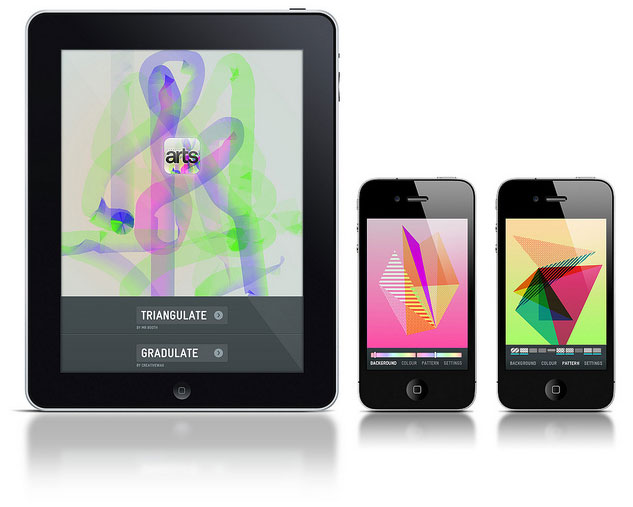
I popped into my local newsagents and noticed a rather interesting issue of Computer Arts Projects. Almost a third of the magazine has been given over to an extended project detailing how the all-new Computer Arts app for iPhone and iPad, called Visualator, was built using Flash Professional CS5.

The magazine takes you through all the steps, from concept, through UI design, to actually publishing your app and submitting to the App Store. I couldn’t leave without buying it so I’ll give it a read tonight and let you all know what I think. If you’ve always fancied dabbling with mobile development using Flash then it might be a good introduction.

Flash Mobile Development Links

Flash development on mobile is starting to pick up some momentum, be it Flash Lite on Nokia devices or AIR-based apps for Android.

So if you’re at all interested in Flash for mobile then head over to Alessandro Pace’s blog where you’ll find everything from tutorials to white papers all conveniently listed in the one post. Really great post Alessandro!

For those interested in BlackBerry’s PlayBook I strongly recommend you check out this excellent article by Junchao Ji detailing how to build AIR applications for the BlackBerry Tablet OS. And remember, developers who create a qualifying application for the BlackBerry PlayBook prior to its initial North American release are eligible for a free BlackBerry PlayBook tablet. Head over here if you want to know more.

Last but not least, for anyone building iPhone apps with Adobe’s Packager for iPhone this Guide for Apple App Store submissions might be of interest. The article covers many topics including device performance, usability and setting up distribution certificates.

Flash Stigma

When did Flash become such a dirty word?

I ask because I was flicking through the pages of a magazine the other day when I noticed an article comparing Apple’s iPad to Blackberry’s upcoming Playbook. To help potential buyers make a decision the magazine had kindly provided a summary with Pros and Cons for each device.

I was shocked to see the following listed as a negative against the Playbook: ‘Supports Flash’. WTF!? I honestly had to do a double-take. But yup, sure enough the author had clearly decided that offering the user the choice to view the thousands of Flash-based web sites and games out there was somehow a bad thing.

Now I could fully understand if the Playbook’s Flash Player performance was poor and the magazine was taking a dig at that, but to knock a device simply for providing support for a well established technology just seems crazy.

I’ve also noticed similar hatred towards Flash on the Android Market, where apps written using Adobe AIR have been getting negative reviews because of the technology they use.

Does Flash deserve the criticism it’s getting at the moment and what can Adobe do to rectify the situation?

I think I’ll leave my own thoughts on this for another post but feel free to let me know what you think.

Does Apple Need Flash?

A day doesn’t go by without someone speculating that Apple will eventually be forced to include the Flash player on iPhone and iPad in an attempt to fend off the ever increasing Android user base. Personally I don’t see this happening for two reasons.

Firstly, the majority of people aren’t buying Android devices for the Flash support. In fact, I strongly suspect many are buying handsets without even knowing, or caring, that their new device is actually running the Android OS. Android is everywhere now and it’s getting harder to purchase a phone that doesn’t use it. Sure there’s probably many Symbian users disgruntled with Nokia’s ageing OS that have gone over to Android, but again the vast majority probably aren’t using Flash as a deciding factor.

But the main reason I doubt Flash Player will make an appearance on iPhone is that it’s clear Apple doesn’t really need it. iPhone user’s have been getting by surfing the web without Flash for almost four years now, and many of the more popular websites have slowly started to move over to using JavaScript to provide some of the interactivity that was once done in Flash. As for web-based games, again Apple has shown that it doesn’t need Flash here either. The quality of games available through the App Store is nothing short of exceptional and we’re constantly seeing new and innovative ideas.

I’m certainly not taking a swipe at Android or Flash with this post. My primary phone at the moment is an Android and I make a living as a Flash developer. Personally I’d love to see Flash on iPhone and especially the iPad but I’m not going to hold my breath for it.

Facebook Challenge

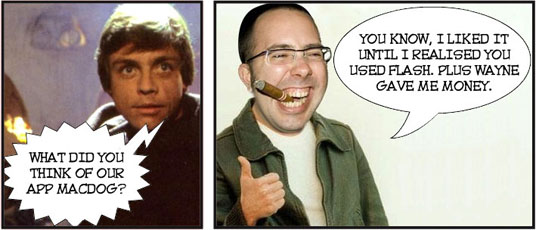
We had quite an interested day at WeeWorld last week with our boss MacDog announcing that we’d all be doing something a little different. The plan was to split the developers into two rival teams and give each a day to think-up and build a really cool Facebook app.

Well if the truth be told we had just over a day, with the ideas and teams being decided on the Thursday afternoon. Although he was supposed to be impartial, MacDog couldn’t help put his favourites into some kind of super team, calling them Team Sex Panther! To be honest I was having none of it and decided to remove myself from Team Sex Panther instead opting to join the underdogs, Team Umlaut, giving them at least a fighting chance.

Even with myself on board it was still going to be tough and with MacDog threatening to stub out his cigars on the hands of the losers (he smokes them at his desk you know) no one wanted to come last. I knew I had to make a few big decisions early on if we were gonna actually pull this one off. Now I’m not one for boasting but I actually pulled off three stokes of genius early on, which instantly turned things in our favour.

Firstly I put myself in charge. It had to be done to be honest. It was clear during the team’s first meeting on Thursday that no one was making any real decisions. So I waited until after work on Thursday night and declared myself team leader. No one objected. Well actually that’s not true, Ian objected on Friday morning when I eventually announced to the team that I was in charge, but I told him it was way too late to make any changes that might upset the balance of the team and he soon settled down.

My second masterstroke was to bring an artist onto the team. What can I say Drew’s a talented dude and sure knows how to draw. In fact he’s also got great ideas and we ended up going with one of his game ideas, with everyone getting really excited when he unveiled his concept drawings.

My third and final masterstroke was to use Flash for the client-side stuff. Now this one was quite an unpopular decision. Three out of the five team members wanted to use JQuery and “cool shit like that”. Ian in particular, who hates Flash, was quite vocal about it all and had actually almost managed to convince me that Flash was the wrong choice. Fortunately Drew helped me come to my senses and we successfully bullied the others into submission.

I won’t lie to you, it was quite a stressful, but interesting day. Trying to build a game from scratch in a day probably isn’t the smartest of moves but we worked really well as a team and quickly had some momentum going.

Ian and Amanda took care of the server-side stuff with Ian coming up with all manner of crazy ideas to help generate WeeMees of varying differences depending on the level the player was on – we were building a “Find the matching WeeMee” game you see. Callum, WeeWorld’s JavaScript guru, took care of the Facebook integration, while myself and Drew did all the really cool and fun Flash work.

You can say what you like about Flash but that Friday really brought home to me just how good the Flash IDE and ActionScript are for rapidly prototyping stuff. With the time constrains we were working to, the game was never going to be the most robust thing on the planet but I honestly still can’t quite believe what we managed to pull off in only a handful of hours. Sure, trying to add any new features to the code would be like playing a game of Kerplunk, but we learned a lot from the experience and would be in a good position if the concept was ever added to WeeWorld’s roadmap.

But the highlight of the day was probably seeing the positive reactions from members of Team Sex Panther. Wayne, another Flash hater, was first to come over and congratulate us, conceding that their own efforts probably weren’t going to be enough to win the competition. Even before the official demonstrations took place we had a stream of visitors to our corner of the office, all eager to give the game a go.

Come five o’clock it was time for MacDog to announce the winner. Everyone was in a great mood and it was high fives all round at Team Umlaut. Just as MacDog was about to make a move to the front of the office, I noticed Wayne pull him aside. There was some whispering followed by an exchange of what looked like money. I really couldn’t believe what I was seeing and knew our chances of winning were gone.

The rest of my team didn’t see it coming and the defeat hit them hard. Amanda couldn’t stop crying and both Ian and Callum threatened to leave work early in protest. As for Drew, he’s given up his art and I must admit I’m worried for the poor dude’s mental health. How am I doing? Well the burn mark on my hand is starting to heal but the doctor’s warned me that I’ll probably be left with a scar.

Obviously I’m still a little bitter that we lost out, but we learned a lot and the whole experience helped promote creative and forward thinking. I’m not going to let the outcome of this one get me down, and like most in the office, I’m really looking forward to our next Facebook Challenge.

I strongly suspect however that MacDog will disband Team Umlaut – he knows we pose too big a threat and he surely can’t go on fixing the results of all future challenges. Can he?

New Version of SWF2Go

With all the recent talk of Adobe AIR for Android and the Packager for iPhone, it’s easy to forget that there’s a new version of Flash Lite and a whole host of handsets out there that support it.

So if you’re writing Flash Lite apps and would like to distribute them then you might be interested in the latest version of the excellent SWF2Go Professional. With version 2.6 you can now natively support the latest Symbian ^3 / ^4 based devices and Adobe Flash Lite 4.0.

I’m looking forward to seeing all those great Flash Lite apps you guys will create for devices such as the rather nifty Nokia N8.