Looking for mapping within your AIR for iOS projects? Then you should take a look at this native extension by Rares Neamtiu. It leveridges the iOS Map Kit framework to provide maps directly within your application. Rares has also recently added some new features to the extension including enhanced marker and events support. Mark Doherty originally showed off a video demonstration this extension last year, so it’s great to see it being actively updated.
Profiling with Monocle
If you’ve been targeting mobile with the Flash platform or taking advantage of Stage3D on desktop then you’ll no doubt appreciate the need for good profiling tools. Mac OS X users have the excellent Instruments tool to help when developing for AIR for iOS but what about other mobile platforms or if you’re developing from a Windows machine? Well of course there’s the profiler that Adobe provides with Flash Builder and other excellent IDEs such as Flash Develop also have their own profiler but to be honest they’re all rather shallow when you consider the great features the Flash platform has to offer these days.
Thankfully Adobe are working on an advanced profiler named Monocle that will allow developers to debug at a very low level. It will allow you to profile live SWFs from the release version of the Flash player and will also work on mobile devices too. As your content runs, all sorts of information is sent to Monocle, including any Stage3D calls being made on the GPU. You can even step through each of the individual calls and watch the construction of each frame step by step. It’s all pretty impressive stuff and if you’d like to know more then I’d encourage you to take a look at the recording of Lee Brimelow’s session for the Denver Flash user’s group. He demos Monocle around the 37 minute mark but the whole video is definately worth watching.
An Introduction to Starling and Sprite Sheets
The April issue of Flash & Flex Developer’s magazine is now available and includes my second Starling framework tutorial. It covers some of Starling’s display list basics and demonstrates how to create animation with the use of sprite sheets.
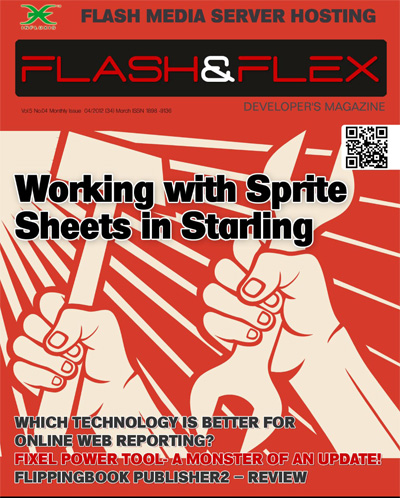
Just head over to the magazine’s offical website where you can download the latest issue for free. Oh and if you’d like to see what you’ll actually be creating then take a look at this video, which shows a slightly altered version I put together for iPad.
Overlaying AIR 3.2 for Flash Professional CS5.5
AIR 3.2 has been released so it’s time once again for me to update my AIR Overlay tutorial for Flash Professional CS5.5 users.
So if you’d like to use the AIR 3.2 SDK from within Flash Professional then click through to the following post: Overlaying AIR 3.2 SDK for Flash Professional CS5.5.
Improving Starling’s Performance with Blend Modes
I’ve been impressed by the Starling framework but like many I’ve struggled to get a solid 60fps on some of the older mobile devices out there. For example, my recent parallax scrolling demo was capped at 30fps on iPad 1 whereas the iPad 2 was easily capable of running it at a full 60fps without batting an eyelid.
Thankfully the latest version of Starling now supports blend modes and there’s one in particular that can really give your apps a performance boost in certain situations. It’s called BlendMode.NONE and it deactivates all Stage3D alpha blending on any display objects that it’s applied to. This is perfect for large background images or tile maps that don’t require an alpha channel.
Let’s take a look at a quick code example. First import the BlendMode class:
import starling.display.BlendMode;
Now simply apply the blend mode to your display object. We’ll use an Image in this example:
var image:Image = new Image(backgroundTexture);

image.blendMode = BlendMode.NONE;
And that’s basically it. If you’re applying BlendMode.NONE to large (or many) display objects then you’re likely to see a significant performance boost on a large number of devices. Remember however, if your display object requires the use of transparency then you won’t be able to use BlendMode.NONE without losing its alpha information.
For some additional detail and a list of the available blend modes, pop on over to this post on the Starling forum.
Starling Bubbles
If you’ve been working your way through my book then you may find the content in the following video familiar. As part of a series of articles I’m writing for Flash & Flex Developer’s Magazine, I decided to revisit the underwater bubbles scene from my Flash iOS Apps Cookbook. However, whereas the cookbook focusses on Flash’s native display list and its GPU rendering mode, I thought this time I’d show you how to make something similar using the Starling framework.
The tutorial actually targets the Flash desktop player but I thought it would be fun to spend a little time adding some additional motion to the bubbles and quickly deploy it to iPad. As you can see it turned out quite well. It may not be easy to spot, but if you look at the bubbles in the video you’ll notice that they very subtly animate as they move. In fact there’s over 200 frames of animation for each bubble that were very kindly animated and rendered by my brother. It’s always handy to have a family member who’s an expert at 3D animation and modelling.
Anyway if you’d like to try building this simple bubbles demo yourself using ActionScript 3 and Starling then look out for April’s edition of Flash & Flex Developer’s Magazine. In fact I’ll let you guys know when it’s available. Oh and sorry about the extremely shaky camera hand.
JavaScript Parallax Scrolling
My Starling parallax scrolling demo that I showed off running on iPad seems to have gotten quite a lot of attention recently. So I thought I’d strike while the iron was hot and quickly throw together a JavaScript version, which you can hopefully see below. I’d originally been working with the graphics from Halfbricks’s excellent Monster Dash HTML5 game, but seeing as this version was going to be publicly available via my blog, I thought I better find alternatives. Thankfully my girlfriend Amanda very kindly created a new set of PNGs for me to use.
I opted for the excellent IvanK Lib for my choice of 2D graphics library as it was based closely on Flash’s own display list, making the port to JavaScript quite straightforward. If you’re planning on taking your Flash skillsets over to JavaScript then IvanK is definitely a good place to start. Its website has some really simple tutorials that will get you up and running in no time at all. If I can find the time I might also try using Grant Skinner’s EasleJS, as IvanK doesn’t yet support Android or iOS devices.
I had to scale down my JavaScript version to fit my blog’s layout. But if you want to see the demo running at its intended resolution then just click here.
Some Great Flash Announcements
The last few weeks have seen a series of great announcements for the Flash platform and I thought I’d take some time to cover some of my favourites.
Stage3D and Unreal Engine
The most recent, was the availability of Epic Citadel, which demonstrated the Unreal Engine running within the desktop Flash Player. Using Stage3D to take full advantage of hardware acceleration, Epic Games were able to provide graphics that exceeding what their engine is capabale of producing on Xbox 360 and PS3. I’ve been getting to grips with UDK development recently and the prospect of being able to deliver 3D games of this quality via the browser is quite mouthwatering.
Stage3D for iOS and Android
With the AIR 3.2 release candidate we now have the ability to deliver GPU accelerated 2D and 3D graphics to both iOS and Android handsets. This is a significant step for the Flash platform as it finally opens AIR to more serious developers wishing to target mobile. I’m looking forward to seeing what’s possible but some of the initial demonstrations and apps that I’ve seen are looking really promising.
Nape Physics & ND2D
Something that’s caught my eye of late is the Nape physics engine, which unlike Box2D, seems to have been optimized for mobile. It’s gaining some widespread acceptance and Adobe Gaming Evangelist, Lee Brimelow, has released a great tutorial introducing the basics.
Jumping back to Stage3D for a moment, there’s been considerable focus on the Starling framework. However there are many other alternative 2D graphics libraries already popping up that you may want to consider for your projects. One that’s gathering a lot of support is ND2D, which is feature rich and also seems capable of creating very high performance apps.
If you still need convincing about the merits of each then why not take a look at some of these demos, which take advantage of both.
CreateJS and Flash Pro HTML5 Exporter
HTML5’s continuing march forward, and Apple’s refusal to support Flash on iOS has forced Adobe to scrap Flash player for mobile and instead conentrate on gaming via AIR. This decision however has left many speculating about the future of Flash Professional and also the future of the Flash platform. However the announcement of CreateJS and an HTML5 exporter for Flash Professional could very well see web developers once again using Flash Professional to create rich content for the web.
An extension will be made available along with Flash Professional CS6 (hopefully) that will allow graphics and sound content from Flash’s library to be exported to HTML5. You’ll then be able to use the CreateJS framework to interact with and manipulate the content. So okay, you’ll need to code in JavaScript rather than ActionScript, but personally I think this is a better solution as JavaScript is clearly ubiquitous and has an unrivalled number of amazing libraries for web developers to take advatage of.
I may have left this until last but in my opinion, CreateJS and the Flash Pro HTML5 Exporter, could very well be the two most significant things to come to the Flash Platform in the last few years. If it’s successful it should give Flash Professional a future, something which I think has been cast in doubt since Adobe’s decisions and disasterous PR during what many now refer to as black November.
Creating Particle Effects with Starling
I was asked by Flash & Flex Developer’s magazine to write a tutorial covering Starling and its particle system extension. So if you fancy seeing just how easy it is to get really great particle effects up and running using Starling then head on over to the magazine’s official website and grab yourself a copy of the March issue.

Each issue is free and can be downloaded by subscribing to the magazine’s mailing list. I highly recommend doing so as there’s always some really great content every month for both beginners and professional developers. This month’s issue also includes an article about the reality of HTML5 game development, and an interview with Adrian Simonovich, who is CEO of Flare3D.
60fps scrolling using Starling
I really do love the simplicity of one-touch mobile games. They’re just so much more accessible to a casual audience compared to modern console games that typically require you to mash a thousand different buttons. However, their apparent simplicity may mislead many to think that such games are easy to make. They’re actually anything but.
With the official release of the Starling Framework, and the availability of AIR 3.2 RC I thought I’d have a bash at creating the scrolling tile map used in Halfbrick’s excellent Monster Dash game. You can see my efforts in the video above, where I managed to get it running on iPad 2 at a rock solid 60fps. It currently manages a respectable 30fps on iPad 1 but hopefully I’ll find some time to try some more optimizations. I was also curious to see if Starling was helping to alleviate the strain on the CPU. A quick check using Instruments on Mac revealed that my ActionScript was consuming only 10% of the CPU, which was really encouraging.
I’m really looking forward to seeing what others in the Flash community produce with the various frameworks that are built on top of Stage 3D.