Launch Image Bug on Landscape iPad Apps

I had a conversation with interactive designer Chris Gannon the other day regarding a screen flicker he’d noticed when his iPad app was transitioning from its launch image to the first frame of its SWF. Of course the transition between the two should actually be seamless but Chris had noticed that an intermediate black screen was appearing momentarily instead.

It turns out this is a bug with AIR for iOS that affects iPad apps that are packaged with a landscape aspect ratio. However there’s actually a very easy workaround. While most developers tend to include a Default.png file as their app’s launch image, there are several launch images that can be bundled with an iPad app depending on the orientations it supports. To prevent the screen flicker from occurring simply package a Default-Landscape.png image with your app, making sure that the image has a size of 1024×768 pixels.

This bug seems to be present in AIR 3.1. Fingers crossed we’ll see it fixed in an upcoming release of the AIR SDK.

Flash Roadmap Whitepaper

Adobe released its eagerly anticipated whitepaper outlining the future direction of Flash and AIR. With the desktop Flash Player fighting a losing battle against HTML5, and the mobile player dead, it’s no real surprise that Adobe has decided to focus on gaming and the deployment of premium video.

Personally I think this is a good move and really the only option available currently. While the aim is to secure Flash’s future for the next decade, the paper outlines the general roadmap for the first two years, and there are some really welcome things planned. Also, the whitepaper does state that although gaming and video are now the focus, it does not mean that Flash should not be used to create content of other types.

If you want to see the full list of proposed features then take a look at the whitepaper, however here are a few that I’m personally pleased to see on the horizon:

  • Mouse lock support
  • Hardware accelerated graphics support for iOS and Android
  • Low-latency audio support
  • Ability to progressively stream Stage3D textures
  • Concurrent ActionScript execution of seperate threads
  • Support for advanced profiling
  • Improved ActionScript performance when targeting iOS
  • ActionScript 4

For me that’s a very exciting list of things, unfortunately, some won’t be available until 2013. Two such features are the ActionScript performance improvements for iOS, and a new version of ActionScript. As you know, ActionScript 3 has been around since 2006 and has seen no significant updates in that time, so the prospect of a new version is mouthwatering. The next version of ActionScript will be designed with performance in mind, and additionally, it looks like Adobe may attempt to make the language more accessible. Here’s a quote from the whitepaper:

Performance is the primary goal when we approach how to evolve ActionScript. Second, Adobe aims to increase developer productivity by simplifying the language, improving tool support, and boosting bug prevention.

As someone who is increasingly focussing on AIR for iOS, the ActionScript performance improvements really can’t come quick enough. The advanced profiling features are also going to be invaluable for anyone trying to squeeze as much performance as possible from mobile.

While most of what is written is very positive I was a little concerned about the statement regarding Native Extensions for AIR. Here’s what Adobe had to say:

While desktop and mobile-specific APIs will be developed, they will not be the primary focus for Adobe AIR development efforts. Developers requiring functionality not available directly via Adobe AIR APIs should consider adding that functionality via the native extensibility API.

So it looks like Adobe will continue to write mobile-specific APIs but what about platform-specific APIs such as In-App Purchasing, Game Center, MapKit etc for iOS? I’m aware that some of these APIs are already available from third-party developers but I really do hope that Adobe put some effort into providing many of these APIs along with AIR.

I understand the goal is one of cross-platform, but for many, including myself, I really only have an interest in a single platform for the time being. I’m not particularly fussed if some of these APIs aren’t cross platform, and to be honest, I can always just use conditional compilation to work across such issues if I decide to eventually target other mobile platforms.

To create the best applications possible on iOS, I (and I suspect many other developers too) need AIR to provide some more iOS-specific APIs, even if doing so goes against Adobe’s cross-platform mantra. Can’t we just have an extensions.ios and extensions.android package structure for such things? Just a thought, and I appreciate Adobe has limited resources.

On the whole though, lots of things to look forward to. Take a look at the whitepaper if you haven’t already done so.
Kinect Native Extension for AIR

My brother was telling me how much fun he’d had over the weekend playing with a Microsoft’s Kinect he’d borrowed from a friend. It prompted me to dig out a blog post I’d seen not too long ago showing Kinect integration within Adobe AIR. The post was by Adobe Platform Evangelist Serge Jespers, and showed a native extension for AIR that allows you to read the Kinect sensor data within your application. You can see the awesome video demonstration from the post below.

As you can see, it’s pretty damn impressive and shows a user controlling a 3D monster rendered using Away3D (and Stage3D) all handled by AIR and the Kinect extension. The extension was written by Wouter Verweirder, and works with Adobe AIR 3.0+ on Windows and Mac OS X. You can download the extension from the as3NUI website, where you can also find tutorials and videos demonstrating how to use it. Really great stuff!

Default Deployment Settings in Flash Pro CS5.5

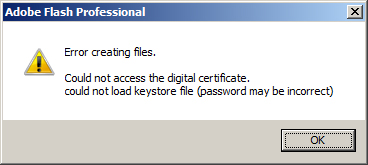
If you’re working your way through the code samples provided with Flash iOS Apps Cookbook then you may receive the following error when trying to publish each of the FLAs:

It seems that when working with FLA files that were authored by someone else, your own copy of Flash Professional won’t try to use the P12 certificate and provisioning profile that you’d previously set. You can change these paths back by simply opening the AIR for iOS Settings panel, clicking the Deployment tab, then immediately closing the panel by clicking OK – there’s no need to explicitly set the paths from the Deployment tab again.

Now you’ll be able to publish the FLA and deploy it to your iOS device.

This seems like slightly odd behaviour from Flash Professional, and I’m guessing it’s actually a bug. I’d imagine that any FLA file you load should always try to publish using your own deployment settings. Fingers crossed that this will be fixed when Flash Professional CS6 is released.

Angry Birds on Facebook

Rovio’s smash hit, Angry Birds, is now available on Facebook thanks to Flash Player 11 and the Starling framework. For those who don’t know, Starling is built on top of Adobe’s Stage3D API and provides hardware accelerate 2D graphics via the GPU.

If you take a look at the game’s credits screen you’ll see Starling proudly listed, along with Erin Catto, the creator of Box2D, who had a wee bit of a fallout with Rovio not too long ago. Oh and if you’re looking for new Flash-based blogs to follow then I highly recommend following Ville Koskela who was lead programmer on the Flash version of Angry Birds.

It’s certainly good to see Flash and Stage3D find its way into such high-profile work.

Minko ShaderLab

Take a look at the video below. Minko ShaderLab is an amazing web application that provides a visual programming environment for creating, testing, and sharing shaders. Written using Flex, it’s for anyone with a basic knoweldge of shader basics and 3D maths, and looks very easy to use.

It’s so powerful that you can build an entire hardware accelerated particle engine without a single line of ActionScript 3.0. So if you fancy being able to program the GPU and create shaders directly from a visual tool then do yourself a favour and sign-up for the beta tester program.

Flash iOS Apps Cookbook

I’m delighted to announce that my book, Flash iOS Apps Cookbook, has been published and is available in paperback and various eBook formats including Kindle.

Written for both beginners and seasoned developers with a working knowledge of ActionScript 3.0 and Flash Professional, the book provides the recipes required to build native iOS apps using the Flash platform. Whether you want to create something new or simply convert an existing Flash desktop project, the relevant steps and techniques will be covered, helping you achieve your goal.

For those new to iOS development, I have paid particular attention to the fundamentals, focusing on the groundwork that many newcomers find daunting. The first few chapters show you how to join the iOS Developer Program, create the required developer files, and build your very first application using Flash Professional. For those with a firm grasp of the basics, there’s plenty to learn, from working with device sensors, to maximizing graphics performance using hardware acceleration.

Here are just a few of the things you’ll learn from the book:

  • Build your own apps, port existing projects, and learn the best practices for targeting iOS devices
  • Compile, configure, and publish native iOS apps directly from Flash Professional CS5 or CS5.5
  • Deploy your apps to iPhone, iPad, or iPod touch
  • Respond to gestures and multi-touch
  • Detect location and movement using the geolocation and accelerometer sensors
  • Target multiple screen resolutions including the Retina display
  • Accelerate graphics performance by utilizing the GPU
  • Implement FLV playback and high-quality H.264 video
  • Capture and manipulate video from the built in camera
  • Overcome performance and memory constraints
  • Utilize iOS-specific features with native extensions

More Detail:

You can find additional information, including a sample chapter, on the book’s official page at the Packt Publishing website. Additionally, I’ll be maintaining a dedicated page from my blog, where you will find additional tutorials, links to resources, and answers to frequently asked questions.

If you pick up a copy of the book then please do let me know what you think.

Creating a Deathmatch

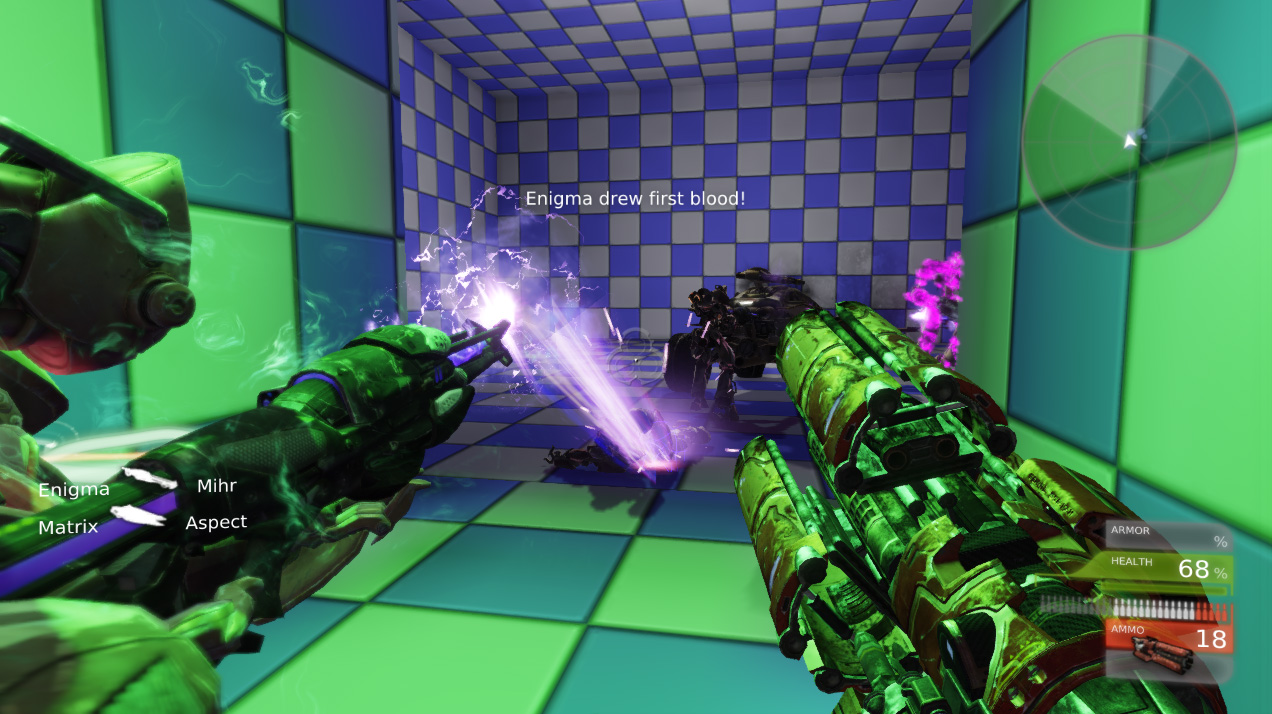
It really does amaze me what’s possible with UDK without the need for any scripting. I thought I’d try my hand at creating my first deathmatch, and it really wasn’t that difficult to get something up and running. My map was fairly simple, consisting of three rooms connected by two corridors, but it still provided plenty of fun.

With the portal I can sneak up on my unsuspecting enemies.

After placing enough spawn points I moved on to adding other features. First was a jump pad, which provided participants access to a ledge that was otherwise out of reach. Next up I added a series of pick-ups, including health packs, and various weapons, including a rocket launcher. I even connected two portals together, giving quick access between the first and third room.

The rocket launcher comes in handy when the going gets tough.

The icing on the cake was the vehicle I dropped into the centre of the map. My plan was to crush my opponents under its wheels, unfortunately I’d neglected to consider that any bots would be able to drive the damn thing too. So I actually spent the majority of each game’s time trying not to get run over myself! I’ve also been experimenting with UDK’s Kismet editor, which allows the creation of interactive scripting events. There’s even a timeline system that’s not too dissimilar to Flash’s own timeline, making it straightforward to build moving platforms and lifts complete with trigger points.

All good fun and it’s always good to be looking at new things.

More Unreal Engine Fun

Bro: Hey is that Crysis?
Me: Yeah why?
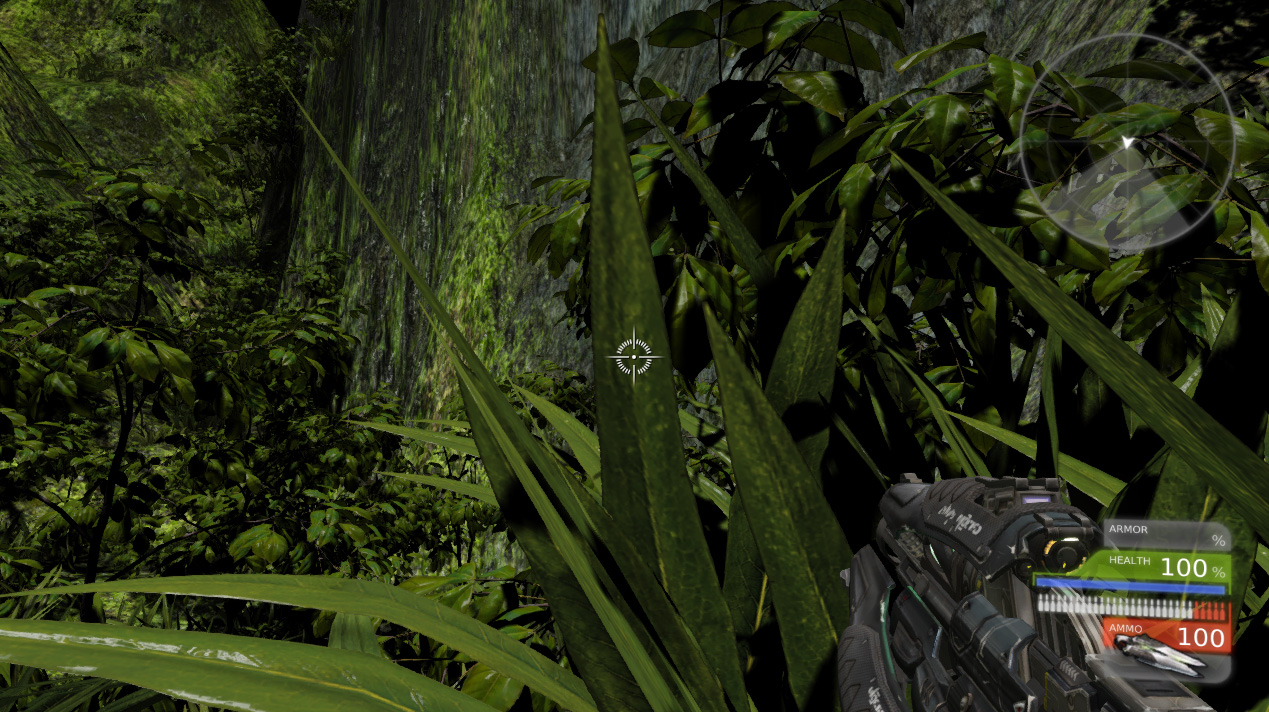
Bro: It still looks pretty awesome. Look at the foliage density!
Me: Ha! Just kidding, I created it using UDK.
Bro: Wow! You totally had me fooled. You rock!
Me: I know.

Fairly dense terrain to hack my way through while play testing my latest UDK map.

Yup, I finally found some time to mess around with UDK again and decided to try my hand at creating some realistic looking terrain. Well, okay, my efforts are hardly going to win me any awards but I was pleasantly surprised with what I managed to do considering my limited artistic abilities.

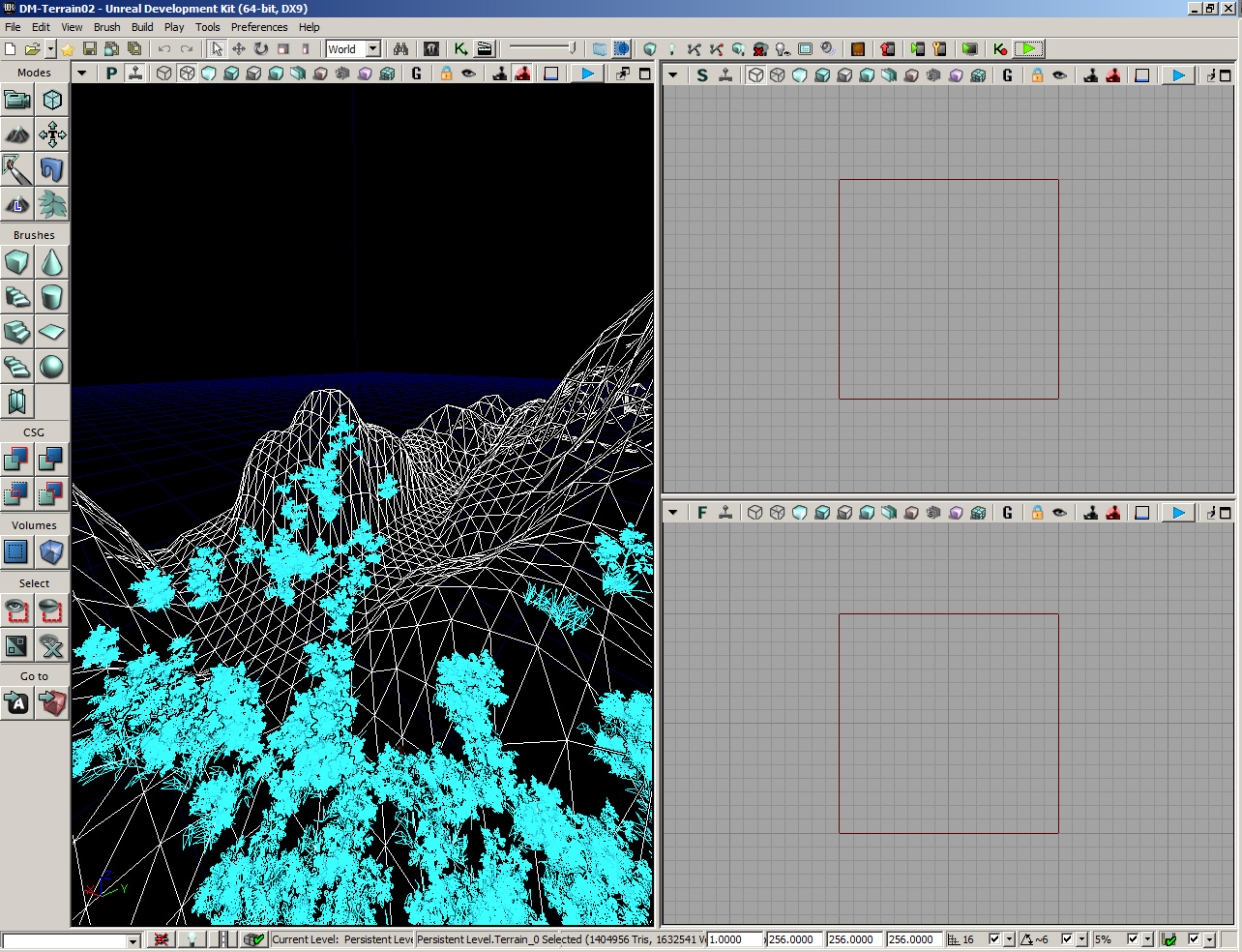
UDK makes it relatively easy to model realistic terrain.

UDK’s tools are pretty incredible to be honest, and using it really hits home how important good tooling is if you want to build rich interactive 3D worlds. Unreal Engine’s terrain editing features make a task that would otherwise be quite time consuming and difficult, relatively easy. I think I spent no more than 30 minutes shaping my terrain before adding some realistic mountain textures, and a scattering of static meshes for foliage. In many ways it feels just like you’re spray painting the decorations onto the landscape.

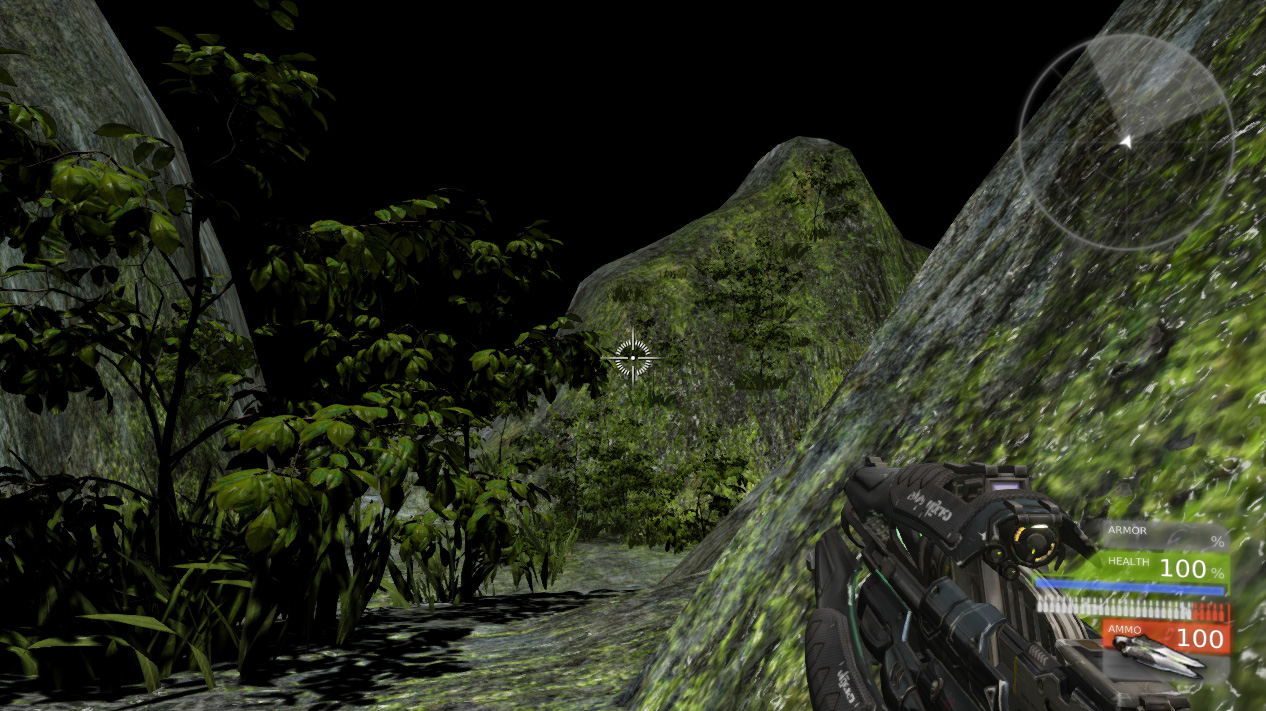
Snooping around looking for those killer bots.

I’ve still got lots to learn but I feel like I’m making real progress. I even had a few killer bots chasing me across the landscape, which was fun. Of course, with all these great features at your disposal, it’s very easy to create content without thinking too much about performance. My map really did struggle at points on my PC when the foliage density got quite high. I haven’t really looked into optimization yet but I’m guessing that it’s probably a whole discipline in itself. Given I’d like to eventually target iOS, it’s definitely something I’m going to have to look into.

Anyway, the next few weeks aren’t looking too hectic, so fingers crossed I can crack on with even more UDK experiments.

Setting iOS App Name from Flash CS5.5

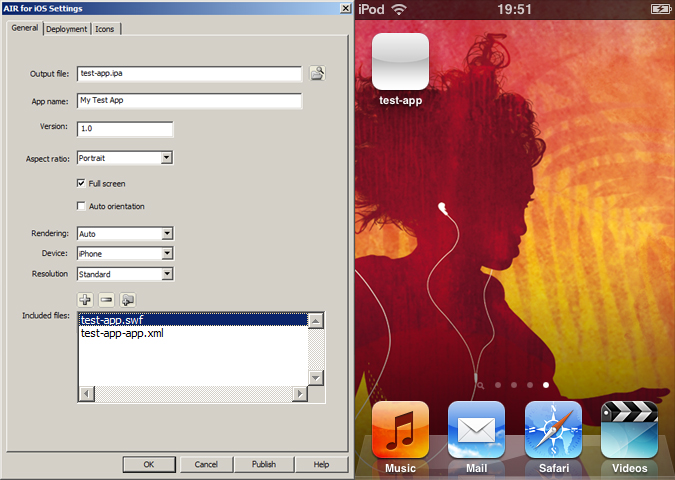
If you’ve overlaid the latest AIR SDK onto Flash Professional CS5.5 then you may have noticed that it’s no longer possible to set your app’s Home screen name from the AIR for iOS Settings panel. Previously the value of the App name field was used to set the application’s screen name.

For example, setting the App name field to My Test App should guarantee that an icon with the same name is shown on the device. You can see this in the screenshot below:

Pre AIR 3.1, the value of the App name field would dictate the app's screen name.

However, after overlaying the latest version of the AIR SDK, the application’s screen name is now incorrectly set to the name of the SWF published from your FLA. The screenshot below highlights this:

The app's screen name is now set to the published SWF's name.

Unfortunately this has been caused by changes in AIR 3.1, meaning you’ll need to manually edit your FLA’s application descriptor file in order to correctly set the app’s screen name.

The application descriptor file is an XML file that shares the same name as your FLA appended with -app.xml. For example, an FLA named test-app.fla will have an application descriptor file named test-app-app.xml sitting in the same folder. You can edit an application descriptor file from Flash Professional or from a text editor such as Notepad.

There are two possible changes you can make to the descriptor file to set your app’s screen name.

The first is possibly the most straightforward and involves changing the value of the <filename> tag:

<filename>My Test App</filename>

The second approach is to localise the <name> tag for multiple languages. For example, change its value from:

<name>My Test App</name>

to:

<name>
   <text xml:lang="en">My Test App</text>
</name>

More detail regarding localisation of application names can be found in this Adobe AIR article.

Also, remember to save the changes to your application descriptor file before opening the AIR for iOS Settings panel again.