Facebook Challenge

We had quite an interested day at WeeWorld last week with our boss MacDog announcing that we’d all be doing something a little different. The plan was to split the developers into two rival teams and give each a day to think-up and build a really cool Facebook app.

Well if the truth be told we had just over a day, with the ideas and teams being decided on the Thursday afternoon. Although he was supposed to be impartial, MacDog couldn’t help put his favourites into some kind of super team, calling them Team Sex Panther! To be honest I was having none of it and decided to remove myself from Team Sex Panther instead opting to join the underdogs, Team Umlaut, giving them at least a fighting chance.

Even with myself on board it was still going to be tough and with MacDog threatening to stub out his cigars on the hands of the losers (he smokes them at his desk you know) no one wanted to come last. I knew I had to make a few big decisions early on if we were gonna actually pull this one off. Now I’m not one for boasting but I actually pulled off three stokes of genius early on, which instantly turned things in our favour.

Firstly I put myself in charge. It had to be done to be honest. It was clear during the team’s first meeting on Thursday that no one was making any real decisions. So I waited until after work on Thursday night and declared myself team leader. No one objected. Well actually that’s not true, Ian objected on Friday morning when I eventually announced to the team that I was in charge, but I told him it was way too late to make any changes that might upset the balance of the team and he soon settled down.

My second masterstroke was to bring an artist onto the team. What can I say Drew’s a talented dude and sure knows how to draw. In fact he’s also got great ideas and we ended up going with one of his game ideas, with everyone getting really excited when he unveiled his concept drawings.

My third and final masterstroke was to use Flash for the client-side stuff. Now this one was quite an unpopular decision. Three out of the five team members wanted to use JQuery and “cool shit like that”. Ian in particular, who hates Flash, was quite vocal about it all and had actually almost managed to convince me that Flash was the wrong choice. Fortunately Drew helped me come to my senses and we successfully bullied the others into submission.

I won’t lie to you, it was quite a stressful, but interesting day. Trying to build a game from scratch in a day probably isn’t the smartest of moves but we worked really well as a team and quickly had some momentum going.
Ian and Amanda took care of the server-side stuff with Ian coming up with all manner of crazy ideas to help generate WeeMees of varying differences depending on the level the player was on – we were building a “Find the matching WeeMee” game you see. Callum, WeeWorld’s JavaScript guru, took care of the Facebook integration, while myself and Drew did all the really cool and fun Flash work.

You can say what you like about Flash but that Friday really brought home to me just how good the Flash IDE and ActionScript are for rapidly prototyping stuff. With the time constrains we were working to, the game was never going to be the most robust thing on the planet but I honestly still can’t quite believe what we managed to pull off in only a handful of hours. Sure, trying to add any new features to the code would be like playing a game of Kerplunk, but we learned a lot from the experience and would be in a good position if the concept was ever added to WeeWorld’s roadmap.

But the highlight of the day was probably seeing the positive reactions from members of Team Sex Panther. Wayne, another Flash hater, was first to come over and congratulate us, conceding that their own efforts probably weren’t going to be enough to win the competition. Even before the official demonstrations took place we had a stream of visitors to our corner of the office, all eager to give the game a go.

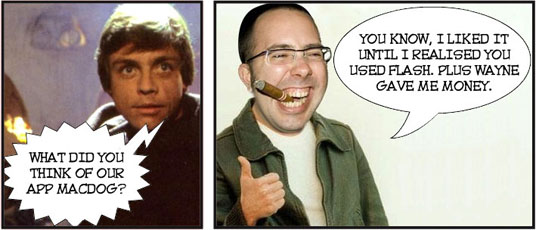
Come five o’clock it was time for MacDog to announce the winner. Everyone was in a great mood and it was high fives all round at Team Umlaut. Just as MacDog was about to make a move to the front of the office, I noticed Wayne pull him aside. There was some whispering followed by an exchange of what looked like money. I really couldn’t believe what I was seeing and knew our chances of winning were gone.

The rest of my team didn’t see it coming and the defeat hit them hard. Amanda couldn’t stop crying and both Ian and Callum threatened to leave work early in protest. As for Drew, he’s given up his art and I must admit I’m worried for the poor dude’s mental health. How am I doing? Well the burn mark on my hand is starting to heal but the doctor’s warned me that I’ll probably be left with a scar.

Obviously I’m still a little bitter that we lost out, but we learned a lot and the whole experience helped promote creative and forward thinking. I’m not going to let the outcome of this one get me down, and like most in the office, I’m really looking forward to our next Facebook Challenge.

I strongly suspect however that MacDog will disband Team Umlaut – he knows we pose too big a threat and he surely can’t go on fixing the results of all future challenges. Can he?

New Version of SWF2Go

With all the recent talk of Adobe AIR for Android and the Packager for iPhone, it’s easy to forget that there’s a new version of Flash Lite and a whole host of handsets out there that support it.

So if you’re writing Flash Lite apps and would like to distribute them then you might be interested in the latest version of the excellent SWF2Go Professional. With version 2.6 you can now natively support the latest Symbian ^3 / ^4 based devices and Adobe Flash Lite 4.0.

I’m looking forward to seeing all those great Flash Lite apps you guys will create for devices such as the rather nifty Nokia N8.

Hardware Accelerated 3D Coming to Flash

Wow, this year’s Adobe MAX could turn out to be the biggest yet for Flash with the announcement that Adobe is bringing 3D GPU accelerated rendering to Flash Player and AIR. From the demonstration videos it looks like this is going to be huge.

Adobe aren’t going to stop there though. They’ll also be adding game controller APIs allowing all manners of devices to hook-up to Flash including game console controllers and steering wheels. Take a look at the video above where Adobe product manager, Thibault Imbert, shows off both the new 3D rendering engine and the game controller API.

Third parties will be able to leverage the 3D APIs (codenamed “Molehill”) to build their own game engines. Take a look at the video above of the stunning Alternativa 8 3d engine to see just what’s going to be possible. CPU fallback will also be available when hardware isn’t compatible ensuring that the Molehill API will run across all devices from desktop to mobile.

Exciting times and for those desperate to get their hands on the API, Adobe will be making a beta available in the first half of next year.

AIR for Android – Six of the Best

It’s early days for Adobe AIR for Android but I thought I’d do some digging around on the Android Market and see what apps are already available.

Overall I was fairly impressed and some very polished content has certainly been released. The following six however really caught my eye for one reason or another.

6. Bridge Invaders.

A really cool low-res drawing and animation tool where you get to draw little 5-by-5 animations before playing them back to a tempo you tapped onto the screen. Clear as mud? Well the video below does a much better job of explaining things.

A great idea and a very stylish and polished app.

Offical Site
Price: Free

5. SpeedTracer

Maybe it’s because I’ve got slight obsessive-compulsive disorder, but I found it really hard to pull myself away from this one. Speedtracer is as simple as games get. Race against the clock as you trace your finger through a randomly generated maze. Succeed and you’re rewarded with a new maze. It’s that simple but extremely addictive.

Price: $0.99
Lite Version: Yes

4. Ink Ball

A gorgeous physics based game where you need to fill a pot by directing droplets of ink into it. To guide the droplets you position and rotate platforms that the ink can trickle along or bounce off. Sounds easy doesn’t it? Trust me it will soon have you tearing your hair out. One of the most polished AIR for Android apps that I’ve seen.

Price: $1.99
Lite Version: No

3. FLik

We’ve seen puzzlers like this a million times before but FLiK is no less addictive. It’s a cute little grid-based game where you flik the columns and rows in an attempt to vaporise monsters. The visuals reminded me of the excellent Zoo Keeper on Nintendo DS and it isn’t far off gameplay wise either. A fun little game that’s easy to pick-up but hard to put down.

Offical Site
Price: $1.99
Lite Version: No

2. Qrossfire

Qrossfire from Bowler Hat Games is almost identical to FLiK but replaces the cartoon visuals with simple coloured blocks that, to be honest, will probably appeal to a wider audience. It’s just a little more refined than FLiK, offering additional difficulty levels and a superior method for selecting and moving the blocks. Qrossfire has that ‘one more go’ quality to it and is perfect for when you’ve got a few minutes to kill here and there.

Official Site
Price: $1.99
Lite Version: No

1. Gravity Lander

AIR for Android’s first big hitter with over 10,000 downloads. A product of the Swiss Arts Council, Gravity Lander’s fantastic retro graphics and physics based gameplay have made it a sure fire hit with Android owners.

It sounds simple enough. Land the rocket on the Mars base by vaporising debris that’s in your way. You can even use boosts and tilt gravity to get round tricky situations. Unfortunately this little gem will have your rocket’s 3 Cosmonaut’s biting the Martian dust more often than landing softly on it.

A challenging and expertly constructed game.

Official Site
Price: Free

Be Inspired!

A huge congratulations, not only to those who made my top six, but to all you Flash developers that have released content onto the Android Market.

I think you guys may just have inspired me to finish off my X-wing Targeting Computer app. Now I just need to fix some outstanding bugs and strike a deal with those nice chaps at Lucas Licensing. They don’t seem to be returning my calls though. Hmm, it’s almost as if they’re trying to avoid me 😉

Graphics Management with Bitmap Sheets

Introduction

This tutorial is a loose follow-up to an article I wrote detailing how to maximise render performance for the iPhone Packager. It outlined, with some simple examples, the use of bitmap sheets to load and render bitmap images as opposed to using Flash’s vector rendering engine.

I had also written an ActionScript 3 library to handle the loading and management of bitmap sheets, but due to the limited scope of the original article it wasn’t actually covered.

With Apple lifting their restrictions on the Packager for iPhone, and Adobe releasing both Flash Player 10.1 and AIR for Android, the use of bitmaps within Flash projects is once again a hot topic. I therefore felt the time was right to release my bitmap sheet library and detail how to use it.

I’ll lead you through the steps required to load bitmap sheets and detail how to obtain the data used to represent each of the bitmaps within the sheets.

If you understand the concepts involved and/or are a competent developer then you may actually want to skip the detailed steps and simply jump to the installation instructions and then onto the code examples at the end of this tutorial. There are also some more complete code examples bundled along with the library.

Continue Reading

Publishing AIR for Android Apps

A big congratulations to all those on the public AIR for Android pre-release that have gone on to release their apps onto the Android Market. It’s great to see content getting out there and I seriously hope all you guys and girls get the recognition you deserve for your efforts.

For those who are close to having content ready for release then why not check out Lee Brimelow’s latest tutorial video over on his gotoAndLearn() site. Lee takes you through the steps required to publish and then upload your content to the Android Market. Definitely worth a few minutes of your time, especially if you like cute kittens.

Almost There!

Okay I know. I said I’d have the Targeting Computer ready for AIR for Android’s release but the truth is I’ve been kinda busy with other commitments.

The good news however is that it’s almost there and I now have a version of the Targeting Computer that I would say is functionally complete. Well if you’re willing to ignore one or two niggling bugs that is. Of course there are a few other things I’d like to add but I guess I need to draw a line somewhere.

So what’s still to be done?

Well it needs a lick of paint and I also need to spend some time refitting the visuals for different screen resolutions. One thing that’s quite upsetting about the Android platform is the fragmentation across phones. It’s not like the iPhone where the aspect ratio is identical across devices. It makes handling layout a little trickier.

Still, getting there and I’ll keep you posted.

AIR available on Android Market

Good news, Adobe AIR for Android is now available on the Android Market.

You still need to sign-up to the AIR for Android public beta if you want to actually develop AIR apps at the moment, but I’m guessing that restriction will end pretty soon. I’m sure we can also look forward to seeing some great apps announced at this year’s Adobe MAX and also appearing on the Market.

If you don’t know, AIR for Android allows Flash developers to write and publish apps (like this one) that will run on Android 2.2 devices that have the AIR 2.5 runtime installed.

If your device doesn’t currently have the AIR runtime installed then don’t worry, you will be given the option to install it when you run the first AIR app you download.

That’s impossible! Even for a computer

By golly, it can be hard work testing GPS-enabled apps. I mean if you really want to make sure it’s all working then you’ve gotta travel around and cover a good distance. I found out to my horror the other day that the Targeting Computer was suffering from some distance calculation craziness that I hadn’t spotted before.

Most of the real-world tests I’d carried out covered distances no more than ten kilometres away, and the app seemed to work well within those constraints. However I hadn’t really paid much attention to locations that were quite some distance from me. The Targeting Computer thought famous landmarks such as the Eiffel Tower and Big Ben were just a stones throw from where I live. Believe me they ain’t.

With errors like that there’s absolutely no chance of a rebel pilot navigating his X-wing down the Death Star’s trench and hitting its small thermal exhaust port. In fact they probably wouldn’t even be able to find the Death Star itself!

Anyway, after spending a little time looking at my distance calculation code (it was based on the Haversine formula) I decided the best thing to do was simply look elsewhere for a reliable third-party API that would do it for me. I settled on the Yahoo Maps API and everything seems to be working fine again. I really should have used their API from the start, after all I was already using their PlaceFinder web service to perform the app’s geocoding.

Anyway, all you X-wing pilot wannabes out there can rest easy knowing that if the Galactic Empire ever decides to send the Death Star our way, my Targeting Computer app will ensure we’ll at least be able to find the damn thing.

Funky Flash Music Player Tutorial


I’m delighted to announce that my tutorial – Go Retro With a Funky Flash Music Player – was published on Activetuts+ today. It covers both Flash’s design tools and ActionScript 3 to build a retro audio cassette that streams music.

So what are you waiting for? Jump on over to Activetuts+ and give it a go.

If you need further convincing then maybe this quote from the dudes at Activetuts+ will do the trick.

This tutorial will show you how to get the best from both worlds as you build a simple but fun retro music player. It’ll encourage you to take advantage of the timeline where appropriate, allowing you to focus on the ActionScript that really matters.

Hope you find it useful and all feedback is welcome.