Converting Flash Content to HTML5

You might remember the excitement at one of the sneak peek sessions at Adobe MAX, where a tool was shown that took Flash content and converted it to HTML5. Well Adobe has just made that tool available on Adobe Labs for anyone wishing to target non-Flash-enabled devices.

Codenamed “Wallaby”, this initial beta version is aimed at those wishing to deploy their Flash-based banner ads to HTML5. It doesn’t yet support ActionScript but Wallaby focusses on converting rich graphical content and timeline animations into HTML for browsers that support the WebKit rendering engine. Importantly that means that your Flash content will run on Apple’s range of iOS devices, which don’t currently support the Flash Player.

So what you waiting for? Give Wallaby a try and give your feedback to the engineers at Adobe.

Molehill Demonstrations

So I’ve been trying out the Flash Player 11 Incubator build and in particular some of the Molehill demos that have been released. So what do I think? Well I’ve been fairly impressed and Adobe seem to have delivered everything they promised. So here’s a list of some of the stuff I’ve been looking at.

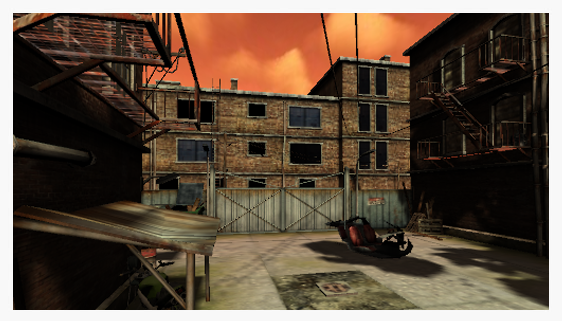
Probably the most impressive demo at the moment is the excellent Zombie Tycoon, which is a port of the original PSP game. For a web game, it boasts an extremely impressive number of polygons and a super smooth frame rate. A great start.

This really caught my eye. It uses Away3D 4.0 to show off some of Molehill’s shading capabilities. The imported model uses a sub-surface scattering shader to create some very realistic skin textures.

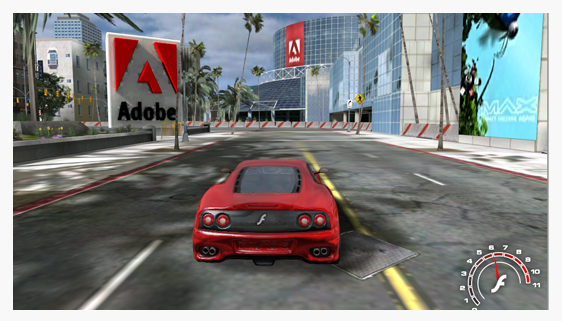
The Alternativa3D 8 engine is looking extremely promising and was used by Adobe at October’s MAX conference to show off their MAX Racer demo. MAX Racer is definitely worth a few minutes of your time and gives an indication of what to expect from developers working with Molehill.

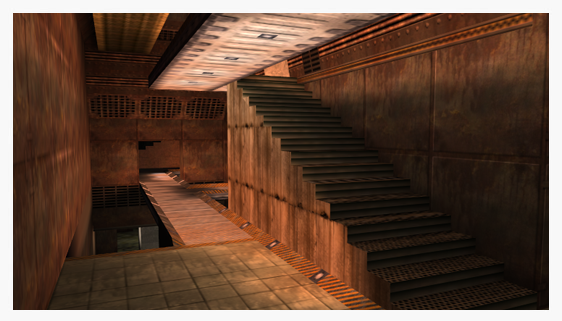
Zoom around a Quake 3 map loaded at runtime into Flash. Looks great and there’s even an example of an animated SWF being used as a texture in the game map somewhere. This application demonstrates what can be achieved with Minko, a next-generation 3D engine that uses the Flash Molehill APIs.

Another Away3D 4.0 demo, this time showing off a water effect that uses shallow water simulation equations with a mesh plane constructed from 80,000 triangles.

A nice demo built using the Coppercube 3D engine, showing a scene with many textures, character animation and camera flight.

Another Away3D 4.0 demo showing environment mapping.

Voxel Renderer. Looks pretty!

So there you have it. Some great looking demonstrations of the Molehill APIs and many of the 3D engines that will sit on top of it. And if you haven’t already done so, take a peek at the load on your CPU during each demo. You’ll find that it hardly bats an eyelid.

To run these demos you’ll need the Flash Player 11 Incubator build, which can be downloaded from Adobe Labs.


Unity to Target Flash Platform and Molehill APIs

There was some exciting news at the Flash Gaming Summit in San Francisco with Adobe announcing the public availability of the Molehill APIs, which will be made available through a new beta version of the Flash Player. But what’s even more interesting is the announcement that the nice chaps over at Unity 3D are planning to add Flash Player and Molehill’s hardware accelerated 3D support as a platform target.

Now considering Flash Professional won’t initially have any 3D tools available to help authors work with Molehill this could be pretty big news. The Unity IDE could be the perfect tool for those wishing to create 3D games using Flash. And it might also prompt Adobe to consider integrating 3D support for Molehill more tightly into the IDE.

More details can be found on the Unity 3D Technology blog.

Flash Platform Mobile Momentum

Some interesting statistics coming from Adobe at this years Mobile World Congress. It looks like the Flash Platform is starting to see some decent penetration on mobile, with developers now able to deploy Adobe AIR applications to more than 84 million smart phones and tablets running Android and iOS.

Flash Player 10.1 has also done tremendously well with over 35 certified devices being shipped in the first six months following its launch. Apparently there are now more Flash-equipped handsets than iOS devices. An additional 50 tablet devices are expected to support Flash Player this year. In total Adobe is expecting to see Flash supported on more than 132 million devices in 2011.

And for those worried about battery life and performance there’s an interesting article, assessing Flash Player 10.1’s performance on Android handsets.

Flash Camp Birmingham

Not long to Flash Camp Birmingham and it’s shaping up to be a good one.

Held over an afternoon and an evening, Flash experts including Seb Lee-Delisle, Mike Jones and Mark Doherty, will share their knowledge through presentations and talks. No matter what level of experience you have with Flash there will be something for you. As an added incentive there will also be the usual prize giveaway from the events many sponsors.

So put the 24th of March into your diary and pop over to the Flash Camp Birmingham website to book your free ticket.

Flash Player 10.2 is Live

Good news, Flash Player 10.2 is now live and available for download. Additionally the debug versions of the player are also available for development purposes.

So what’s new then? Probably the biggest feature is Stage Video, which delivers high performance video playback. Stage Video should alleviate much of the criticism levelled at Flash in the past concerning video performance, CPU usage and power consumption.

Another great new feature is the dual-monitor support for video playback. You can now watch a video in full-screen on one monitor and continue to work in the other. On previous version of the player, full-screen video switched off as soon as the user started working in the second screen. This was somewhat annoying so it’s great to see it finally fixed.

For more details and some Flash 10.2 tutorials pop over to ByteArray.org.

Taking Advantage of the SWF Format

The SWF file format is incredibly compact, and if you know what you’re doing you can create quite gorgeous things in only a few kilobytes. Unfortunately to take advantage of the format you sometimes need to have an understanding of how it works, or at least have someone show you some best practices for creating content.

45Kbytes SWF v 4Kbytes SWF.

Take a look at both these virtual assets. At first glance they might look identical and to be honest they’re both similar enough that it wouldn’t concern a user. But the version on the left is 45 Kbytes while the one on the right comes in at a tiny 4 Kbytes!

So what’s the difference?

Well, it’s all down to how the flower pattern has been created. The optimized version contains only 3 movie clip symbols in the library – one for the pink flower, one for the blue flower, and a single leaf. The pattern is created by simply using multiple instances of each symbol then applying some scaling and transformations to keep things interesting.

Dress on the right uses movie clip instances to reduce SWF size.

The bloated version on the other hand doesn’t use library symbols. Instead the entire flower pattern has been hand drawn. Although it gives the same result, it seriously increasing the file size since the vector information for every single flower on the pattern has to be stored within the SWF. The optimised version however only needs to store the vector information for the 3 movie clip symbols stored in the library, giving a significant reduction in the final file size.

If you’ve been doing Flash for any length of time then this should all be fairly obvious to you. But sometimes when the pressure’s on, it’s very easy to rush something out and forget about the final size of your SWF.

Beginner’s Guide to FlashDevelop

Flash Professional CS5 had some welcome additions for those using it to write and edit their source code, but for most developers the feature set it provides is still too limited.

There are a few options for those looking for an external source code editor. For a start there’s Adobe’s solution – Flash Builder – which has been going from strength to strength. If you’ve got the cash then FDT 4 seems to be the best option although I’ve personally not tried it. And if you already have Visual Studio on your machine then you could consider the Amethyst plug-in, which not only let’s you edit your ActionScript but allows you to debug your SWFs using Visual Studio’s excellent debugger.

But if you can’t convince your organisation to get licenses for any of the above then there’s always the excellent, and free, Flash Develop. It certainly doesn’t provide everything the IDEs listed above have, but it has some nice features, which Michael James Williams has kindly written about in his ActiveTuts+ tutorial. So if you’re still using the Flash IDE for code then I urge you to check out Michael’s tutorial and see what you’re missing out on.

Thibault Imbert is a Trendsetter

A few months back I forced my sister-in-law to watch a really cool video showing off the capabilities of the upcoming Molehill APIs. Even though she’s not a Flash developer, she gazed at the screen in amazement and I was happy that she seemed to get it.

Double rainbow watch all the way across the screen.

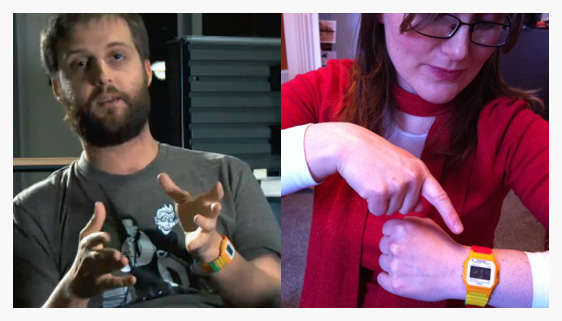
So I was a little confused when I started talking to her about Molehill recently only for it to quickly transpire that she had no idea what the heck I was talking about. Turns out she hadn’t noticed the magic of Molehill. Instead it was Thibault Imbert’s cool watch that had caught her attention. So much so that she went out and got herself one.

So there you have it. Looks like the people in the Flash community can be an inspiration to not just other Flash developers, but those who know nothing about it too.

Learn Adobe AIR for Android

If you’re a Flash developer who’s interested in Android mobile development then check out my two-part tutorial – Build a GPS Speedometer.

The first part is available from Mobiletuts+ and covers the basics of AIR for Android development. Part two can be found on Activetuts+ and ensures that you come away from the tutorial having built and deployed onto your mobile a fully working app.

Don’t worry if you don’t have an Android device, you can still follow the steps and test on your desktop using the GPS data that’s provided with the source code. There are some tips and tricks for mobile optimization scattered throughout the second article too.

Hope you find it useful and all feedback welcome.