Flash Love

My girlfriend once asked me whether I loved her more than Flash. Of course I didn’t hesitate and immediately asked her what version of Flash she was talking about. Apparently that was the wrong answer and I’ve been trying ever since to find the perfect way to make it up to her. Well, I think this totally awesome t-shirt I just bought her will do the trick.

flash-love-1

I can’t wait to see her reaction. The print has a big giant heart and an equally large Flash logo, both of which I’m sure girls love. Right? I’ll let you guys know how I get on and whether or not I still have a girlfriend come the end of this.

UPDATE: Great news! Amanda loves her new t-shirt!

flash-love-2

UPDATE: I got one for myself too! How awesome do we look!

flash-love-3

Yeah, we rock! 🙂

Goodbye 2013 | Hullo 2014

That’s another year over and it’s once again time for me to recap what I’ve been up to over the past twelve months and look forward to the next. It’s also an opportunity to see how close I came to achieving the goals I’d set out for myself at the beginning of the year. I always feel doing so helps motivate and push me to learn new things.

The Flash Platform

It was bound to happen eventually. This was the first year where my professional workload involved more HTML5 than Flash. My ActionScript skills were almost exclusively reserved for the maintenance of legacy projects.

The only real exception was a new update to Match Mee, which is an AIR based iOS app we released at WeeWorld last year. We added a bit more functionality, made some gameplay changes, and also squished a few bugs. In addition to that I spent a morning getting Match Mee running in the web browser. It really is a testament to Flash’s strengths when some slight modifications to your code can have something that was originally intended for iOS running quite happily in a web browser. We’d also had Match Mee running on a handful of Android devices with minimum fuss. Unfortunately neither the web or Android ports made it onto WeeWorld’s roadmap for the year but they were fun pieces of work nonetheless.

I might not have written much ActionScript but Flash Professional CC made a triumphant return to my workflow thanks to its integration with the CreateJS framework. After a few difficult years for it, I firmly believe that things are heading in the right direction for Flash Professional. It’s now much more tightly integrated with HTML5 and also provides support for JavaScript directly within the IDE. It has meant we’ve been able to create rich HTML5 web content that utilises the vector graphics and animations that Flash is so good at. I’m happy and it has enabled our designers and illustrators to express themselves again, which has been difficult over the past few years when the tools weren’t available for previous HTML5 projects.

I did do a fair amount of ActionScript development outside of WeeWorld, some of which I’ll cover a bit further down.

HTML5/JavaScript

The last six months of my time at WeeWorld has been almost exclusively spent working with HTML5 and JavaScript on a new section for the site. We’ve also made heavy use of Flash Professional and the CreateJS framework, allowing us to bring a lot of WeeWorld’s vector content into the project. I’m enjoying every minute of it and hopefully I’ll get to stick with it as we add new features throughout 2014.

In fact, the development of this project has gone so smoothly that it’s unlikely that we’ll see another native Flash project at WeeWorld that targets the web browser. JavaScript as a language doesn’t have the niceties of ActionScript 3 but it’s easy and enjoyable enough to use. And of course, for those desperate for something a little closer to AS3 there’s TypeScript. I’ve used TypeScript for some personal projects and I really like it. In fact, it’s something that we’ve talked about using at WeeWorld on future projects.

If you scan through my blog you’ll see that I’ve been tinkering on and off with HTML5 for a few years now on some of my personal projects. However 2013 was clearly a tipping point for me. Personally I think the issues with HTML5’s readiness and complaints regarding browser compatibility have now mostly evaporated. Sure there are problems with older browsers, but most of the modern browsers have significant penetration to the point where the majority of users can enjoy all that HTML5 goodness. As someone who loves developing in Flash I can honestly say that with frameworks like CreateJS and PixiJS the lines have become very blurred and that working with HTML5/JavaScript doesn’t really feel that much different to Flash anymore. Basically I’m pretty damn happy.

Objective C

I did a fair amount of Objective-C too and also tinkered with AIR native extension development. I didn’t actually write an extension that was of any use to anyone but spent enough time experimenting so that I can write my own extension if the need arises. Of course, there’s a good selection of native extensions out there but they tend not to get updated as often as the third-party Objective-C libraries that they’re based upon. So being able to get my hands dirty with any open sourced ANEs or simply write my own should come in handy for future AIR projects.

Just for fun, I also revisited my X-wing Targeting Computer app and re-wrote it in Objective-C. People to this day still email me asking about my app. I have no intention of releasing this one but thought it would be a good coding exercise to rewrite it. I haven’t bothered blogging about this new version because I was hoping to give it a new coat of paint and make the UI look a bit more modern first. My sister in-law has offered to help out with the visuals so hopefully we’ll get those dropped in there in the coming months and then I can show it off to you guys.

Monster Dash Clone and Tutorials

I had a great time creating a clone of Half Brick’s Monster Dash game, which originally appeared for iOS, Android, and web. I wrote it in ActionScript 3 and thought it would be a good opportunity to spend some more time with Box2D and the excellent Starling framework. I picked the Tomb Town level from Monster Dash and did my best to recreate it. Personally I think I got damn close to the original and was pretty pleased with the end result.

I’d also promised to write more tutorials last year so thought a series of tutorials (part 1, part 2, part 3) detailing how to write the scrolling engine from my Monster Dash clone would be worthwhile. Doing it has been a huge investment in time but I think it has been worth it. Since I’d been spending more time with HTML5, I ended up writing the tutorials for JavaScript developers with pixi.js being my rendering engine of choice. It seems to have been a popular decision but I’m also planning to re-write the tutorial’s source code in a few other languages, including ActionScript 3, TypeScript, and possibly Objective-C if I can find the time. I’m also hoping to completely re-write the tutorials for ActionScript developers but that really will depend on how much free time I find myself with this year.

I’ve got one more tutorial in the series to do, which I’m about to start this week. After that, I may go on to write a few more tutorials explaining the Box2D side of things for those who want to add a game character and platform collision detection to proceedings. However that probably won’t happen until the second half of this year.

Bunny Vengeance

I’ve been working on and off with my buddy Alex on a game concept called Bunny Vengeance. The plan was to knock together a few prototypes over the course of the year, however we only found the time to produce one. Even though it contained some beautiful animation from Alex (he’s worked for likes of Pixar and DreamWorks over the years) I never really felt that we had something that was going to make a great game. After spending some time with the first demo Alex also came round to this realisation and we’ve now agreed to explore a few more concepts. The plan is to try and produce another few quick prototypes over the next six months or so and see if we can create something that others might want to play.

3D Games Programming

Every year I promise to do some 3D programming and just about every year I completely fail to find the time. I’m pleased to announce that I did actually spend all of December looking at three.js – Ricardo Cabello’s (AKA Mr Doob) excellent WebGL-based 3D library. Of course, there are many ActionScript 3D libraries I could have opted for, and there’s also Unity, but I felt that three.js had the lowest entry barrier. Its API is fairly mature now, it has a growing community around it, and there’s a wealth of tutorials and examples to work from. I’m also hoping to take a look at Unity before the year is out but three.js let’s me quickly experiment with things and push any work I do to the web without the need for a plugin.

I’ve also come to the realisation that I really need to learn how to use a 3D modelling package. There are plenty of 3D models floating around the web that I can use in my personal projects but they quite often require some tinkering with before I can import them into three.js. I’d also like to be able to build my own simple 3D models for my projects. While I could probably programmatically create some of these models directly with three.js I think I’d get things done a lot quicker if I simply had the right tools to let me be more creative. I’m seriously considering checking out Blender. It’s free and I’m already using it to make very quick adjustments to existing models. Blender’s a bit of a beast though so it may take me some time even to get to grips with the basics. We’ll see how I get on though.

This Blog

Yeah, But Is It Flash? is four years old now! I originally only intended to run the blog for a year so I’m chuffed that I’ve managed to keep it going this long. However I have actually struggled with the blog’s name for a few years now. It did start purely as a Flash platform blog but the last couple of years has seen me work with an increasingly wider range of technologies. I have posted some of my non-Flash experiments here but have held back many more because I was afraid I might alienating myself from my original target audience. I’ve decided that I’ll just go for it this year and write about just about anything I happen to work on.

I had also seriously thought about changing the blog’s name but couldn’t think of anything that I liked, and I do think my blog’s current name is kinda cool. So for the time being, the name will stay.

All Change

So it’s all change for me this year. I’m really looking forward to experimenting more with three.js and hopefully I’ll find the time to tackle Blender as well. I’m also hoping to do some more small Objective-C projects including finishing off the port of my X-wing Targeting Computer app. Fingers crossed that me and Alex will also find the time to bash together a few more Bunny Vengeance prototypes too. Not sure if we’ll ever finish the game but even putting together a few demo levels should be fun. Finally, I’ve got my Parallax Scrolling tutorial series to finish. Actually, it’s just one more tutorial I have to do but as I said I’d like to also write a few more based on the Box2D side of things.

So, looking forward to 2014 and hopefully I’ll get lots done.

More Fun with Three.js

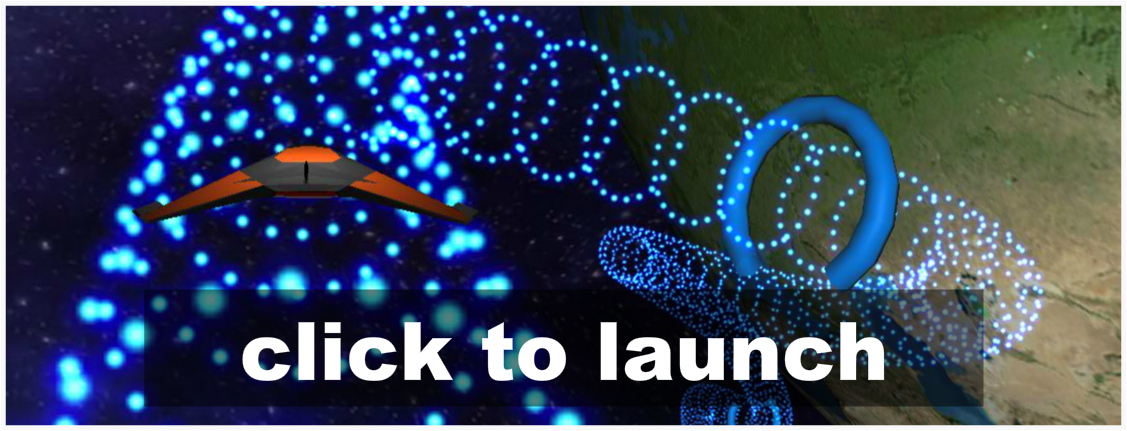
Happy New Year everyone! I thought I’d share with you my latest three.js experiment. It’s based on the spline demos I posted previously but this time I thought I’d move the camera to the outside of the tube geometry and let you rotate left and right around it. Just for fun, you can also fire projectiles along the spline and increase your speed by pressing a boost button. There are also some barriers to dodge but no collision detection, so you can fly straight through them if you like.

tunnel-3

I was inspired by a Unity/Flash game I once played called Tail Drift, and if you have some time on your hands then you should check it out because it’s pretty awesome. Now, my effort is nowhere near as good as Tail Drift but I have added a nice skybox and the planet Earth to my scene to trick you into thinking it’s better than it actually is. Have fun and if you’re interested, the code is available on GitHub along with my previous two experiments.

NOTE: There’s about 10 Mbytes of texture data (for the skybox and the planet) so the demo may take a few moments to load.

Fun with Three.js

Every year I promise myself I’ll spend some time learning 3D graphics programming and just about every year I fail miserably at finding the time to do so. So in a desperate attempt not to let the same happen again this year I thought I’d do some tinkering with three.js. Here are two quick demos I put together.

tunnel-1tunnel-2

Both use a spline to generate a 3D tunnel, which I then move the camera along. The first tunnel is coloured by mapping its geometry’s normal vectors to RGB values. In the second demo I send the tunnel’s vertices to a particle system, which let’s you see the tunnel in its entirety as you move through it. Now all I need to do is convince my buddy Ian to give me his Oculus Rift headset and get that hooked up. How’s about it Ian?

UPDATE: You can now find the source for both demos on GitHub here.

JS-Linter Flash Pro CC Extension

Static code analysis tools like JSLint can be a real time saver when working with JavaScript. It can be somewhat frustrating only finding out about errors in your code at runtime. It’s especially true when working with Flash Pro’s HTML5 Canvas document, where a simple typo can leave you with a blank page in your browser.

That’s where the JSLinter extension for Flash Pro CC comes in. It performs static code analysis on your timeline JavaScript and helps to detect any errors and potential problems. The extension was written by Adobe’s Hemanth Kumar R and can be downloaded from his blog. I’ve also embedded a video above of Hemanth demonstrating how to use the extension.

Flash Pro Introduces HTML5 Canvas Doc

Adobe has just released an update to Flash Professional CC and the great news is that it now provides native HTML5 document support. This is a significant step towards Flash’s deeper integration with HTML5 and the CreateJS framework. You can now create a new HTML5 document directly from Flash Professional and you’ll find all the HTML5 export settings now sitting within Flash’s Publish Settings panel.

Previously HTML5 export was available via the Toolkit for CreateJS extension. This had its problems as it was all too easy to build a FLA that used features that weren’t supported by the export tool. That’s no longer an issue as the new HTML5 Canvas document disables any Flash features that aren’t supported in HTML5. In addition, JavaScript is now treated as a first class citizen. You can now write JavaScript directly within your Actions panel complete with code hinting and code colouring.

Hopefully we’ll see more great updates like this over the next twelve months. More frequent updates are definitely one of the benefits of Adobe moving its product suite over to the Creative Cloud.

Updating AIR SDK for Flash Builder 4.7

I’m not entirely sure why Adobe make it so difficult to update the AIR SDK within Flash Builder 4.7. It’s all the more baffling considering how easy it is to use a different AIR SDK within Flash Professional.

Thankfully Joseph Labrecque has recorded a video showing you how to upgrade Flash Builder 4.7 to use the latest version of the AIR SDK and the new ActionScript compiler. Oh, and if you’re interest in Android development using Adobe AIR then I highly recommend Joseph’s Flash Development for Android Cookbook.

AIR Mobile Games Showcase #1

Over the past few weeks I’ve been playing quite a few really great mobile games written in Adobe AIR, so I thought I’d list them here for you guys to check out. All of them are definitely worth a look.

Help Me Fly

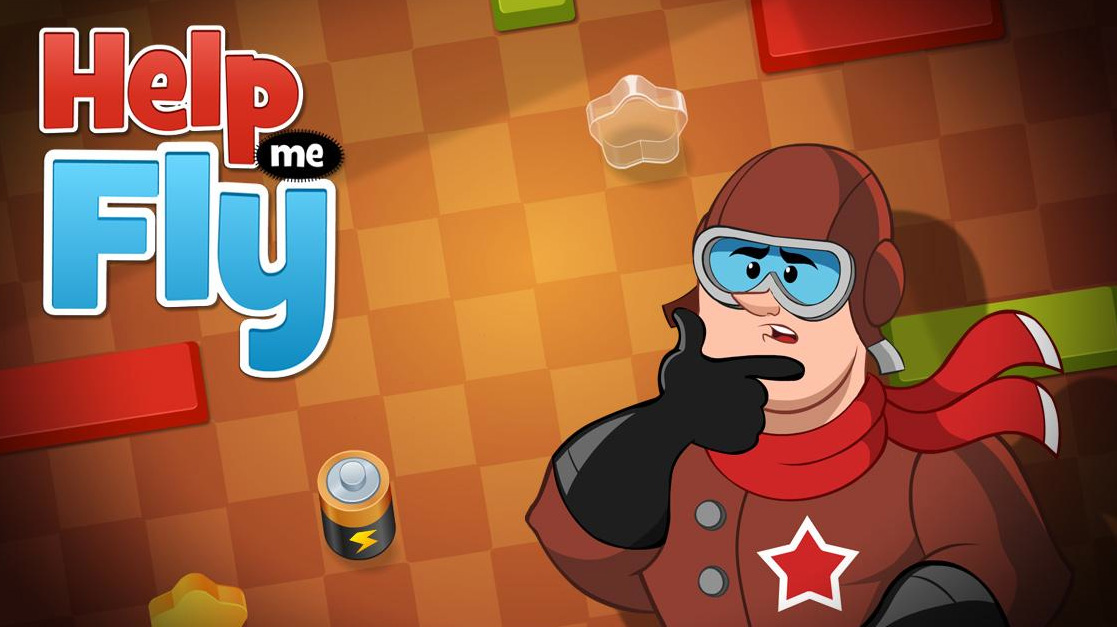
I’ve probably spent more time with this game on my iPhone than any other in the last six months. Help Me Fly is a great little puzzler where you’ve got to jump start your biplane by connecting circuits between it and a power source. It’s a beautiful game with a lot of charm and a subtle but effective use of animation. The 60 levels will keep you going for quite some time and there’s apparently more to come in future updates. Help Me Fly is available for both iOS and Android devices. The first 20 levels are also available on the web.

Snailboy

Snailboy is perhaps one of the nicest looking games powered by Adobe AIR to date. It’s a physics based puzzle game where you’ve got to catapult, prod, and nudge Snailboy around each level in order to rescue his prized collection of shells, which have been stolen by the evil Shadow Gang. Gameplay is simple and intuitive, and you’ll soon find yourself comfortably navigating your cheeky garden mollusc through each of the game’s tricky environments. It’s all good fun and I must say that Snailboy is one of the most polished looking Adobe AIR powered games I’ve seen on the iOS App Store.

KAMI

I almost spent as much time with KAMI as I did with Help Me Fly. The only reason I didn’t is because I managed to complete its 36 levels quicker. KAMI is a fantastic Japanese influenced paper puzzler. It’s both simple and beautiful and will have you spending hours trying to complete each of the game’s increasingly complex levels. While most puzzle games eventually frustrate, KAMI has a soothing quality to it that will make you feel somewhat relaxed even when you’re revisiting a particularly hard problem for the umpteenth time. Easy to pick up but very hard to put down. KAMI is available for iPhone and iPad.

Incredipede

I’ve been meaning to check out Incredipede for some time now but for one reason or another never got round to it. Just like Snailboy it’s a visually lavish affair and also makes great use of physics. It’s a puzzle game that celebrates the vast diversity of life in the world. Your incredipede has the unique ability to grow new arms and legs whenever needed, allowing you to transform it into anything ranging from a spider to a monkey. With a little practice you’ll be navigating the game world by swinging through the trees, climbing cliff faces, and even soaring through the air. Incredipede is available for both iOS and Android.

Fingervals

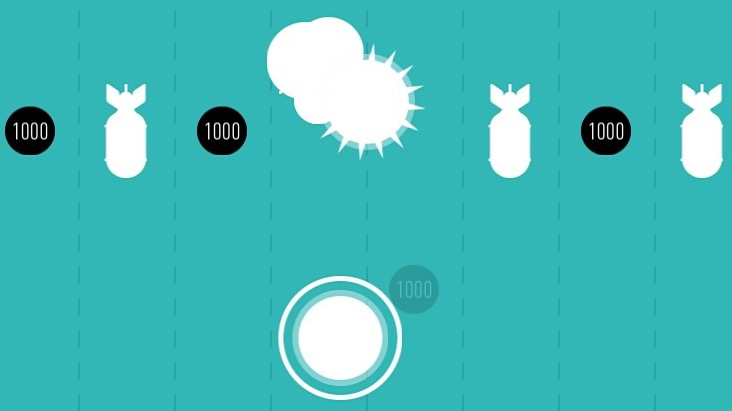
Games don’t get much more stripped down than Fingervals. Guide your fingertip through a vertical scrolling maze of bombs and pickups. There’s a really neat retro quality to Fingervals, from the lovely but simplistic graphics to its minimalistic but well placed audio. It also has a difficulty curve that’s very much associated with 80’s gaming rather than today’s more forgiving offerings. In many ways the challenge on offer leans towards the likes of the excellent Super Hexagon, which is absolutely fine by me and fits perfectly with the game’s old-skool feel. Fingervals is available for iPad and there’s a pocket version for iPhone too.

The Tapping Dead

Pixel art is all the rage these days and zombie platformer, the Tapping Dead, is a perfect example of those 8-bit graphics that we all love. The gameplay is also suitably simplistic, with a tap and hold mechanic being employed to help you guide the hero away from the game’s zombie infested cities. Your character automatically runs through each level, negotiating ladders and drops as they’re encountered. Touching the screen stops them in their track and is the only mechanism in place to stop you bumping into each of the level’s zombie inhabitants. Survival is about quick reaction and timing as you decide when best to halt your hero’s progress in order to avoid having your brain munched. With 150 levels on offer, there’s plenty to keep you entertained. The Tapping Dead is available for iOS and Android.

Zombie Apocalift

Staying with the zombie theme, Zombie Apocalift is a casual arcade game where you have to look after three survivors as they ride an elevator during a zombie apocalypse. Each survivor is armed and you must help them fend off the zombie horde that’s hellbent on bursting into the elevator and putting an end to your escape plans. The simple aim is to travel as high as possible in the elevator. To achieve that you’ll need to kill as many of the shuffling undead as possible as they try to prevent your escape. Weapons upgrades and player boosts are on offer and you’ll need to use them fairly across your team if you want to make it to the top. Zombie Apocalift is easy to pick-up and good fun. Check it out on the Apple App Store, Google Play, or the Amazon App Store.

Iron Force

Stage3D holds bags of promise but Flash and AIR are still very much seen as platforms for 2D games development. So it’s good to see the full potential of Stage3D being realised in Iron Force – a really cool multiplayer tank battle game. Pick from seven powerful tanks and battle online in a free-for-all or as part of a team. During your campaigns you can make various upgrades to your tank including increasing your firepower, speed, and rate of fire. With close to ten thousand ratings on the Apple App Store and an average score of five out of five, it’s a perfect example of what can be produced with AIR and the Stage3D API.

10 Steps to Learning ANE iOS Development

Over the past week or so I’ve been looking at Adobe AIR Native Extension (ANE) development. It’s something I’d been meaning to take a gander at for ages but never seemed to find the time. Plus on the surface, developing an ANE seemed a little intimidating. Well the good news is it’s not really that hard once you learn a few steps. The hard part is really finding the right documentation, tutorials, and example source code to get you going.

So if you’re interested in developing your own native extensions but don’t know where to begin, here’s a list of the resources that I found extremely useful. I’ve listed everything in the order you should tackle them.

1. Read ‘Programming in Objective-C Fifth Edition’

There’s no way around the fact that you’ll need to write some native code. If you’re new to iOS development then I strongly suggest you pick up a copy of Programming in Objective-C as the book serves as a really great introduction to the language. Of course there are many online resources for learning Objective-C but having spent some time with this book earlier this year I can honestly say it’s worth the money.

2. Consider reading ‘Learn C The Hard Way’

Adobe provide a native code API that is written in C, so you’ll need at least a little knowledge of the C programming language too. Objective-C is actually a superset of C, so you should get everything you need to know from the Programming in Objective-C book I recommended above. It has a section detailing the language’s underlying C features.

However, if you’d like to spend a bit more time with C then I recommend you take a look at Learn C The Hard Way, which is available online. It’s possibly a little hardcore for absolute beginners but a good refresher for those who haven’t done any C development in quite a while.

If you’re not familiar with Objective-C then I’m gonna say stop here and come back at least a few weeks from now. Sure you could probably write your own native extension by cutting and pasting from various online resources but there’s really no substitute for just rolling up your sleeves and learning a new language. Sure, Objective-C may look a little weird but it’s actually pretty easy to learn and a lot of fun.

3. Read Adobe’s official documentation

Okay, once you’re at least familiar with the basics of C programming it’s time to take a look through Adobe’s official Native Extension documentation. While the documentation is lacking somewhat in actual concrete code examples, what’s there is fairly comprehensive and to the point. At this stage you don’t need to fully understand it all but you should spend a few hours reading over everything at least once to familiarise yourself with the development process.

There’s a section detailing the C API for native extension development. You’ll need to use this API when developing your native extension but don’t worry too much since the C API is only required to create a bridge between your extension’s ActionScript code and your native implementation. Essentially what I’m saying is that you can use Objective-C for the majority of your development and only drop down to the C layer for some very specific things.

4. Walk through your first tutorial

Once you’ve scanned over the official documentation you’ll be ready to try and get something up and running. The best place to start is by following through a tutorial. There are a few good tutorials out there detailing how to write native extensions. I personally really liked Lorenzo Nuvoletta’s, who gives a fairly quick and concise set of steps complete with full source code and build scripts. The extension Lorenzo has you build is extremely simplistic (it returns a string from the native layer) but it covers the basics, you’re unlikely to slip up, plus you’ll learn a lot from it.

The good news is that if you’ve gotten this far then you’re well on your way.

5. Write your first very simple native extension

So once you’ve got Lorenzo’s native extension up and running, I suggest you take what you’ve learned and try writing a slightly more complicated version. Give your extension a few more methods and experiment with some more primitive types. You know how to return a string from the native side so try returning integers, numbers, boolean values, and arrays. Also, experiment by passing ActionScript primitive types into your extension and working with them.

All this will require you to work with the native extensions C API. Mastering this API will allow you to exchange data between your AIR app’s ActionScript and your native code. If you’re new to C programming then you may struggle a little to begin with. However, Adobe’s Tom Krcha has written an excellent three part tutorial explaining how to use the C API to transfer data from ActionScript 3 to C/Objective-C and back again. Unlike Adobe’s own official documentation, these tutorials have plenty of code samples that you can just lift and drop into your own code. If C isn’t your strong point then keep this tutorial open in your browser as you develop.

6. Dealing with compilation and packaging errors

There are a lot of steps when writing and packaging native extensions, so you’re likely to make mistakes. Unfortunately you can encounter some pretty obscure errors. Here’s an excellent resource detailing common errors you may encounter and how to fix them.

7. Examine the source code from other ANEs

Once you start feeling comfortable with the basics you’ll probably want to start doing some fancy stuff like layering native UI components over your AIR content or working with third-party iOS libraries. The best way to learn is to pop over to somewhere like GitHub and take a look at the many native extensions that have been open sourced.

I spent some time looking over the many native extensions that developer Richard Lord (Stick Tennis developer) has made available. You should also check out Fresh Planet’s (of Song Pop fame) many extensions. There’s tonnes you can learn just by looking over their source code. It’s also a great way to learn how best to organise the folder structure for your own projects.

8. Learn how to write build scripts

There’s a lot of jumping around when writing a native extension. One minute you’ll be compiling ActionScript, the next you’ll be inside Xcode writing Objective-C. You’ll also be using ADT to package everything together into the final .ane file. This means that making and testing your changes can take some time as you jump between IDEs and the terminal. If you want to be as productive as possible then you really need to spend some time writing a build script. It’ll save you so much time and will generally reduce your compile and testing time from several minutes to seconds.

As a starting point go back to Lorenzo Nuvoletta’s tutorial and take a look at his shell script. If you want to take things further (and you should) then consider writing an Ant script to do the bulk of your work. Take a look at the Ant scripts (this build.xml file on GitHub) in Richard Lord’s native extensions. For a quick introduction look over this tutorial, which lists seven things you need to know about Ant. It’s a really quick and simple guide to Apache Ant. There’s also a pretty good looking tutorial over on the net tuts+ site.

Writing build scripts isn’t essential when writing native extensions but it will save you so much time. Oh and I forgot to say: Apache Ant typically comes pre-installed on your Mac.

9. Other resources worth looking at

Most of the links I’ve mentioned above are those that I used on my journey into native extension development. There are however a few additional resources that are worth checking out:

10. What about Android development?

One of AIR’s benefits is the fact that you can target both iOS and Android. So how do you write the native Android component of your extension? Well that’s something I’ve yet to fully explore. If you do need your native extension to target Android then I suggest you take a look at Lee Brimelow’s excellent two part video tutorial (part 1 and part 2) that takes you through the process.

That’s about it. I hope you find the recommended resources useful. It probably looks like a fairly lengthy list but if you follow the steps then you’ll be able to write your own native extensions. Good luck and have fun!

Using Flash Pro in WeeWorld’s HTML5 Workflow

We’re targeting HTML5 more and more at WeeWorld but doing so has always been a problem for us. You see our illustrators and animators rely heavily upon Flash Professional. With our previous HTML5 and JavaScript projects we’d been left in a bit of a pickle because it just wasn’t possible to take our Flash content and easily drop it in. It would often end up with animation being taken out of the hands of animators and instead taken care of by us developer types who are quite honestly hopeless at coding up such things.

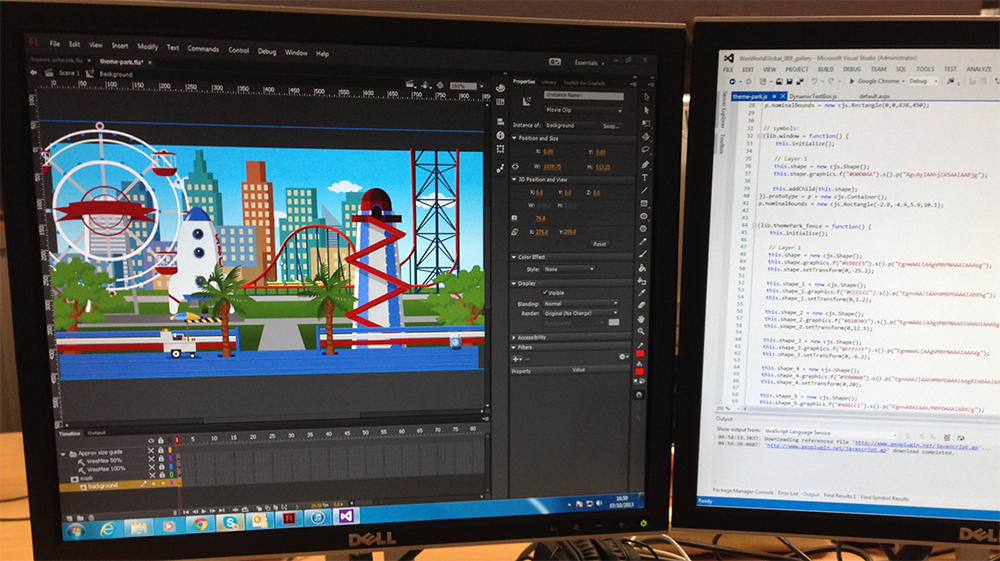
A background is created in Flash before being exported to JavaScript.

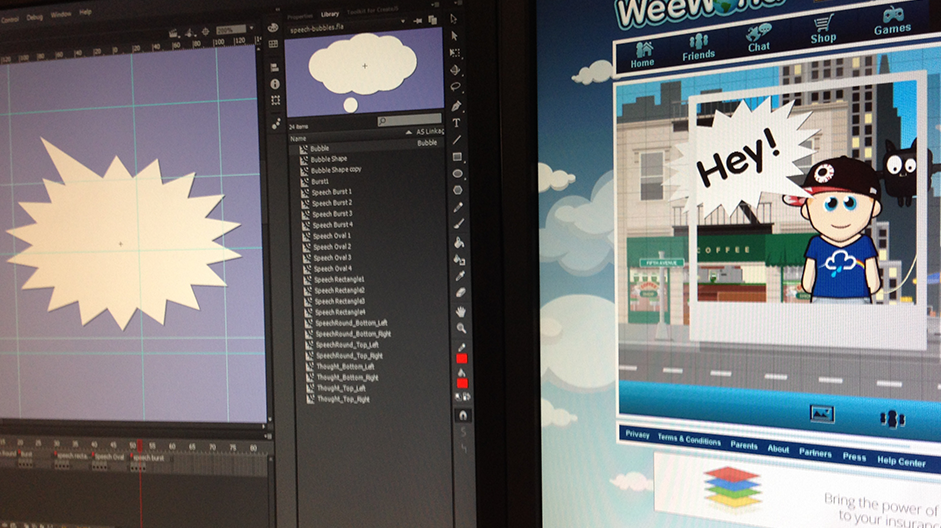
A few months ago we started a new project at WeeWorld that would allow our users to create photos of their WeeMee and friends. One of the requirements was for the user to be able to scale and rotate certain elements within their photo. Vector graphics would be ideal for the job but that would require Flash. Thankfully Flash Professional now supports HTML5 export via the excellent CreateJS framework. We were able to create rich vector artwork within Flash that could easily be integrated into our JavaScript projects, allowing users to scale and rotate that content without a loss of fidelity.

Watch this video of me making a really awesome photo.

ActionScript unfortunately goes out the window with this workflow and we were instead forced to write any interaction for our Flash content using JavaScript. However, considering we were embedding our content into a larger HTML5 project it made more sense to use JavaScript anyway. Plus, with the CreateJS framework being loosely based on Flash’s display list API, coding in JavaScript actually felt fairly familiar.

Here's a speech bubble designed in Flash (left) and how it looks within the HTML5 webpage (right).

I was pretty damn impressed by the performance of our vector content. Given how detailed much of it was and considering everything was being rendered by a layer of JavaScript, I was expecting the frame rate to take a serious hit. In the end, everything actually ran really well. And to be honest, across the whole project, we didn’t run into that many cross-browser issues either.

So all in all it was really good fun and it was great being able to use Flash Professional CC in our HTML5 workflow. If you want to give our photo editor a try then head on over to weeworld.com and sign-up. Alternatively just watch the video that I’ve embedded above.