Inferno for Xbox 360

My buddy Alex is probably the best programmer in the world! He has a particular passion for all languages containing the letter ‘C’ and he’s so good that he bashes games together during his lunch breaks! And here’s one of them. Inferno is Alex’s first Xbox 360 game, which you can pick up from the Xbox Live Indie section. It’s a port of an old 8-bit game so if you like your retro arcade stuff then it should be right up your street.


Oh and if you’re wondering what this post has got to do with Flash then the answer is pretty much nothing. But then again I did have a conversation with Alex the other day and he reckons that Flash is the perfect platform for bashing together Android apps. In fact, he’s considering porting Inferno to Android using it. So there you go.

Steve Jobs 1955-2011

I’ll be honest, Steve Jobs’ criticism of Flash and the subsequent banning of apps built using Adobe’s Packager for iPhone enraged me and for quite some time turned me away from Apple products. Such was his reputation and authority that his words were able to polarise even those within the Flash community, with some jumping ship the moment he declared the technology as good as dead. In fact, he did more to diminish Flash’s presence as a web technology than HTML5 ever could on its own!

I say this only to highlight the respect he’d earned and rightfully so. When Steve Jobs spoke, people listened. While others copied, Steve Jobs innovated. The iPhone was a paradigm shift and it couldn’t have happened without him. He had that rare ability of being able to take the complex and make it simple, so that almost anyone could understand and use it.

Even after several years of playing catch-up, it’s clear that the rest of the industry still doesn’t really get it. Manufacturers churn out device after device, desperately trying to recreate Apple’s success story. These devices might very well resemble iPhones and iPads. They may even have superior technical specifications. But rarely do they ever come close. Steve Jobs understood that it wasn’t just about the hardware, but the user experience. That was where the real magic happened.

So what now for Apple? Will they continue to grow and innovate or will they slide back into the abyss that Jobs saved them from? It’s hard to tell what the long term holds for them, but in the short term I think Steve Jobs ensured that the right people were in place to continue his vision. And if you’re in any doubt about that vision just think back to the clunky handsets we were all using before the iPhone arrived. Without Steve Jobs kick-starting the industry, we’d probably all still be obliviously struggling with them right now, unaware that a brighter, better, and more entertaining future was a possibility.

Packt Cookbook Giveaway

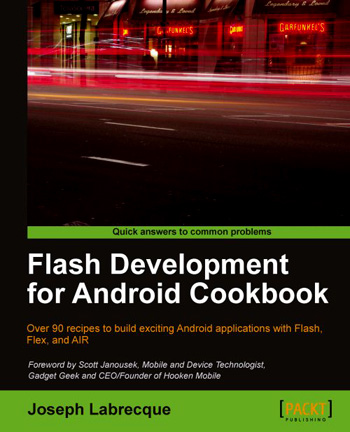
I’m giving away two copies of the excellent Flash Development for Android Cookbook by Joseph Labrecque, and you’ll be delighted to know that entering the giveaway requires almost no effort at all!

To whet your appetite, here’s a little information about the book from the Packt Publishing website:

  • The quickest way to solve your problems with building Flash applications for Android
  • Contains a variety of recipes to demonstrate mobile Android concepts and provide a solid foundation for your ideas to grow
  • Learn from a practical set of examples how to take advantage of multitouch, geolocation, the accelerometer, and more
  • Optimize and configure your application for worldwide distribution through the Android Market
  • Each recipe is a carefully organized sequence of instructions to complete the task as efficiently as possible

So how do you go about getting your hands on a copy? Simple. Just head over to the book’s official page then add a comment to this post letting me know one feature of the book that makes you want to own it. The two lucky winners will each receive an eBook version of the cookbook.

The contest will close on October 7th at 11:59 p.m. BST. Winners will be contacted by email, so please remember to use your real email address when you add your comment.

Good luck!

The competition is now closed and comments have been disabled. The winners will be contacted.

Overlaying AIR SDK for Flash Professional CS5.5

If you’re using Flash Professional CS5.5 (CS6 owners should follow these steps) and would like to take advantage of the AIR 3.5 SDK then perform the following steps for your operating system of choice.

Microsoft Windows

  1. Ensure that Flash Professional CS5.5 is closed.
  2. Download the AIR 3.5 SDK for Windows archive from the Adobe website.
  3. Copy the archive to your desktop and extract it to a folder.
    After unzipping you should be left with a folder named AdobeAIRSDK on your desktop. This folder will contain the AIR SDK.
  4. Using Windows Explorer, browse to Flash Professional’s root folder: C:\Program Files (x86)\Adobe\Adobe Flash CS5.5.
    On 32-bit versions of Windows the Program Files (x86) folder is named Program Files
  5. Find the AIR2.6 folder and rename it to AIR2.6-old.
  6. Copy the AdobeAIRSDK folder from the desktop to Flash Professional’s root folder and rename it to AIR2.6.
  7. Using Windows Explorer, browse to frameworks\libs\air within your newly renamed AIR2.6 folder.
  8. From this folder, copy airglobal.swc and paste it over the existing version of the file at C:\Program Files (x86)\Adobe\Adobe Flash CS5.5\Common\Configuration\ActionScript 3.0\AIR2.6
  9. Using Windows Explorer, browse to C:\Program Files (x86)\Adobe\Adobe Flash CS5.5\Common\Configuration\Players and open AiriPhone.xml using Notepad.
  10. Change the version attribute of the <player> tag to 18 and save the file:
    <?xml version="1.0" encoding="UTF-8"?>
    <players>
      <player id="PFI1_0" version="18" asversion="3" minasversion="3">
    
  11. Staying within the same folder, perform the above step for AdobeAIR2_6.xml and Android.xml.

Mac OS X

  1. Ensure that Flash Professional CS5.5 is closed.
  2. Download the AIR 3.5 SDK for Mac OS X archive from the Adobe website.
  3. Copy the archive to your desktop and extract it to a folder.
    You should be left with a folder named AdobeAIRSDK on your desktop. This folder will contain the AIR SDK.
  4. Using Finder, browse to Flash Professional’s root folder: Applications/Adobe Flash CS5.5
  5. Find the AIR2.6 folder and rename it to AIR2.6-old.
  6. Copy the AdobeAIRSDK folder from the desktop to Flash Professional’s root folder and rename it to AIR2.6.
  7. Using Finder, browse to frameworks/libs/air within your newly renamed AIR2.6 folder.
  8. From this folder, copy airglobal.swc and paste it over the existing version of the file at Applications/Adobe Flash CS5.5/Common/Configuration/ActionScript 3.0/AIR2.6
  9. Using Finder, browse to Applications/Adobe Flash CS5.5/Common/Configuration/Players and open AiriPhone.xml using TextEdit.
  10. Change the version attribute of the <player> tag to 18 and save the file:
    <?xml version="1.0" encoding="UTF-8"?>
    <players>
      <player id="PFI1_0" version="18" asversion="3" minasversion="3">
    
  11. Staying within the same folder, perform the above step for AdobeAIR2_6.xml and Android.xml.

Now whenever you create an AIR application it will be set to use the AIR 3.5 SDK.

If you encounter any problems then you may want to refer to Daniel Albu’s excellent tutorial on the ActiveTuts+ network. Alternatively consider taking a look at the following video by Brent Arnold. The video covers AIR 3.0 but the steps are the same.

Adobe Imagination Challenge

If you’re a student in the United Kingdom and you fancy winning some serious money for showing off your creative talents then Adobe’s latest competition might be right up your street. The Adobe Imagination Challenge runs until November and gives students in the UK the opportunity to gain national recognition for their work. Guest judges Helena Christensen (supermodel, photographer), Greg James (TV & Radio presenter) and David Rowan (Editor, Wired UK) will select three eventual winners who will each walk away with £10,000!

So how do you take part? Well, first head over to the Adobe Students portal where you’ll find a library of videos, tutorials, blogs and download trial versions of Adobe Creative Suite 5.5 Student and Teacher Edition. Then all you need to do is creative something using Adobe software. It can be anything you like: a poster, video, a poem, or a dream even. Just be creative and share your vision in a unique way.

Good luck. Oh and you don’t have long left so stop wasting your time attended lectures and get cracking.

Flash Development for Android Cookbook

I’ve had this book on my radar for some time, and I’m glad to have finally gotten my hands on a copy. Joseph Labrecque’s “Flash Development for Android Cookbook” looks like it’s going to be perfect for anyone wishing to take the plunge with Android development using Flash. And to be perfectly honest, from what I’ve read so far, there’s plenty for those who’re already familiar with the platform too!

Joseph covers an incredible amount throughout the book’s 350 pages, with each recipe being concise and easy to understand. He’s also made a point of covering a range of IDE’s – Flash Professional, Flash Builder, Powerflasher FDT – ensuring that almost anyone can get up and running. By the end of the first chapter you’ll know how to configure the AIR SDK and be comfortable publishing content.

I’m thoroughly enjoying this one and I’ll let you know how I get on. At the rate I’m chomping through it, you probably won’t need to wait too long.

AS3-like features in JavaScript

Is the thought of writing web applications in JavaScript getting you down? Does it bring back all the horribly memories from the dark days of ActionScript 1? We’ll it does for me, which is probably why Jangaroo makes me feel all warm and happy inside. What is it? Well basically it allows JavaScript to adopt many of the language features of ActionScript 3, including packages, classes, inheritance, interfaces and private members. Looks interesting.

Native Extensions

Native extensions are one of the most exciting new features that will be coming to AIR 3.0. For those who don’t know, it will allow developers to create their own ActionScript extensions that leverage native APIs that aren’t directly available from the AIR SDK.

So for example, those using AIR for iOS, will be able to take advantage of APIs such as In-App Purchasing and Notifications. It doesn’t end there though. As this excellent video by Mark Doherty shows, you can also render native UI within your app. In his video, Mark shows off Apple’s MapKit API being used to render interactive maps directly within his AIR for iOS app. It’s great stuff and really helps to plug many of the holes that were remaining in AIR.

Machinarium for iPad 2

Here’s by far the most beautiful AIR for iOS game to date. Machinarium, the award-winning, point-and-click adventure is now available for iPad 2 and managed to grab the #1 spot for all paid categories in the US after just one day!

Many of you will recognised Machinarium as it started life as a Flash in-browser game where it received considerable attention and much deserved critical acclaim. So it really made perfect sense for developers, Amanita Design, to use Adobe AIR to port it to iPad. And thanks to AIR’s cross-platform support, Machinarium will also be coming to Android Market and Blackberry AppWorld very soon.

If you’d like to know more then Adobe evangelist, Tom Krcha, has an interview with Machinarium’s designer, Jakub Dvorský. Here’s a little snippet from the interview, which I think sums up the strengths of the Flash platform for mobile and tablet development:

We don’t know any other tool for making such rich and interactive animations like Flash. And AIR was for us the only way how to get the game on iPad and other tablets in a relatively short time.

Another success story for the Flash Platform on mobile and I’m looking forward to seeing what comes next now that AIR 3.0 is on the horizon.

Supporting both Flash CS5 and CS5.5

Don’t worry, that’s not the only copy I have of my book. And no, I don’t intend to take a drive along a dangerous snowy mountain road anywhere near a crazy woman’s cabin.

It’s just that I’ve learned a lot while writing the Flash iOS Apps Cookbook. Firstly, hard copies are important – they really do help you spot mistakes that for some reason elude you when reading on a screen. Secondly, a good selection of biscuits* is essential! I’m particularly enjoying those new Aero biscuit thingies at the moment, and the Kit Kat is a timeless classics in my opinion.

Anyway, you’re probably more interested in my progress, and there are a few things I’d actually like to talk about. The first draft (pictured above) was finished just over a month ago and I’m now working my way through the excellent feedback I’ve currently received from my technical reviewers.

In fact, it’s actually a comment from one of the reviewers that’s prompted me to write this post. You see, he’d asked why I’d bothered covering both Flash Professional CS5 and CS5.5. Why not just focus on 5.5? It’s a very good question and one which I’ll now attempt to answer.

The Flash iOS Apps Cookbook did actually begin life as a CS5.5 only title. However it became apparent early on that there were many people who hadn’t yet upgraded from CS5 to CS5.5. In fact, several of my technical reviewers have yet to upgrade. WeeWorld, the company I work for, is also still using Flash CS5 and this is the case for many other organisations out there.

So in an attempt to extend the book’s reach as far as possible, the decision was taken to cover Flash Professional CS5 as well as CS5.5. Of course, CS5 users won’t be able to attempt all recipes – but they can work their way through around 75% of the ones that currently feature in the RAW version of the book, which is pretty good if you ask me.

Of course this doesn’t mean I’m neglecting the newer features of AIR that are available to CS5.5 users. I’m hoping that the material that covers the more recent features will actually encourage CS5 owners to upgrade. After all, the performance gains that have been made recently with AIR for iOS are significant, and I aim to highlight that wherever possible.

So if you’re a CS5 user and fancy dipping your toe into the water then there’s plenty on offer for you. And if you eventually want to take your iOS development more seriously then there’s more than enough additional content there to encourage you to upgrade to CS5.5 and take full advantage of AIR for iOS.

* I believe they’re called ‘cookies’ in the US, but here in the UK we have a distinction between a biscuit and a cookie. Or at least they do in the part of the UK where I’m from 🙂